Review – ASRock B650M-HDV/M.2 – A Good, Budget-Friendly AM5 Motherboard!
 by Giancarlo C. Dalmedico "NoMS" June 2, 2024 · Motherboards / Reviews
In this review, I will analyze the ASRock B650M-HDV/M.2, an entry-level B650 motherboard for the AM5 platform. Despite being an entry-level model, it features M.2 PCI-E 5.0, a robust VRM, and an integrated rear I/O shield. Is this a good motherboard? That’s what we will find out in this article. 🙂

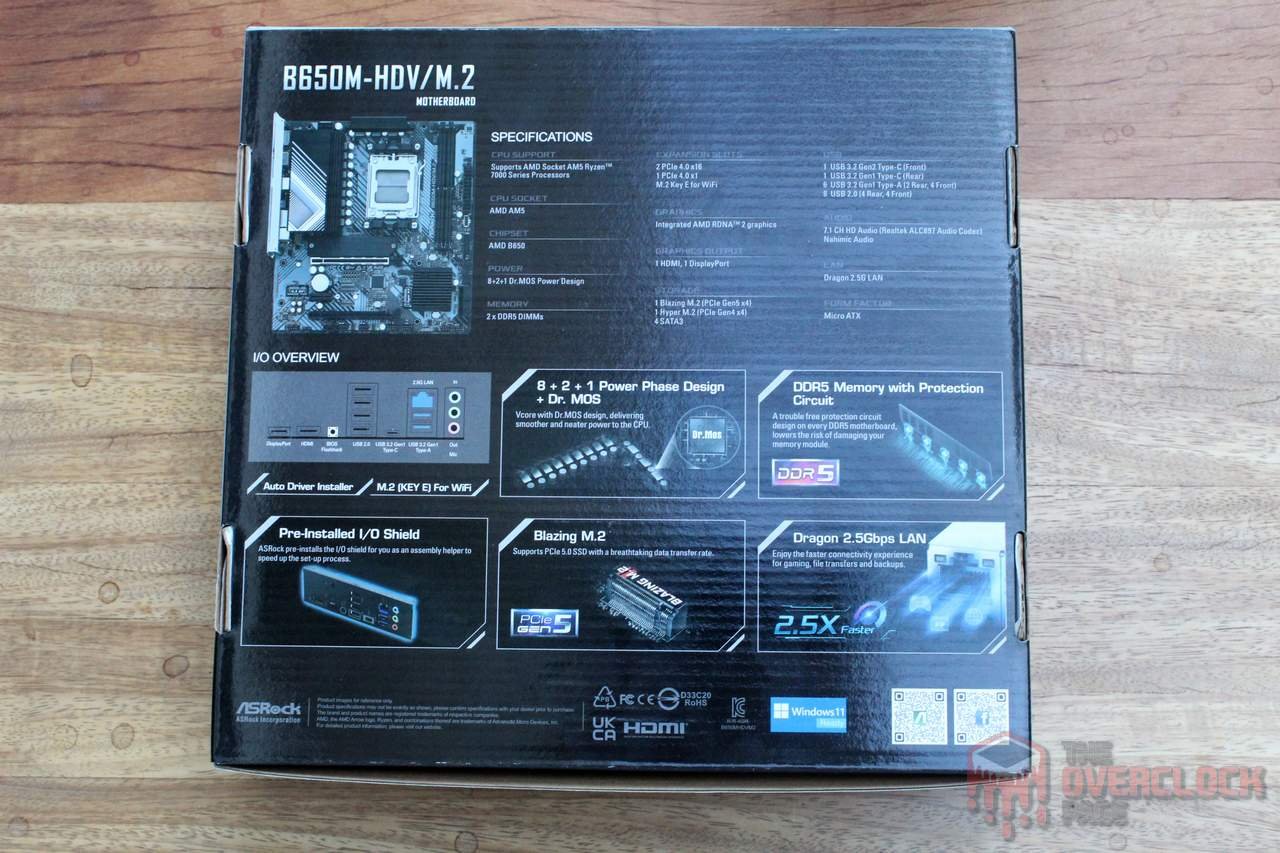
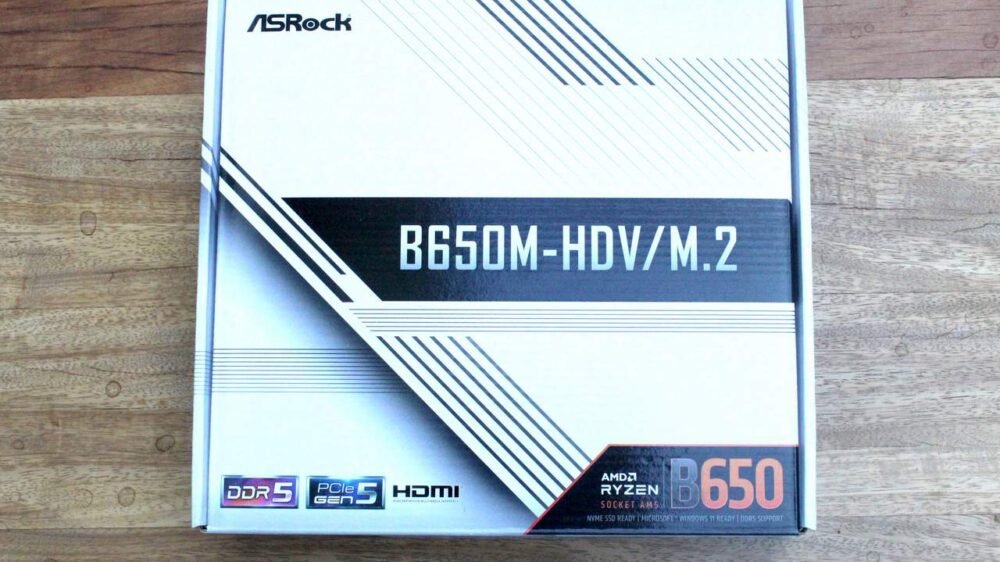
Regarding the box, the front highlights the motherboard’s name, chipset, support for DDR5 memory, and PCIe 5.0. The back mentions the specifications and some features, such as the VRM with power stages, M.2 PCIe 5.0, and 2.5Gbps LAN.
The accessory kit that comes with the product includes SATA cables, a leaflet with instructions for processor installation, a manual, and screws for securing the M.2 SSDs.

The motherboard’s design is quite understated, featuring a black PCB along with black heatsinks, with the largest one having white details.
On the back, it’s interesting to note that the memory slots are SMD, which means they do not have the “traditional” solder points on the rear. This, combined with the 1DPC topology with only two slots, should help with signal integrity and, in theory, achieve higher frequencies for DDR5 memory.
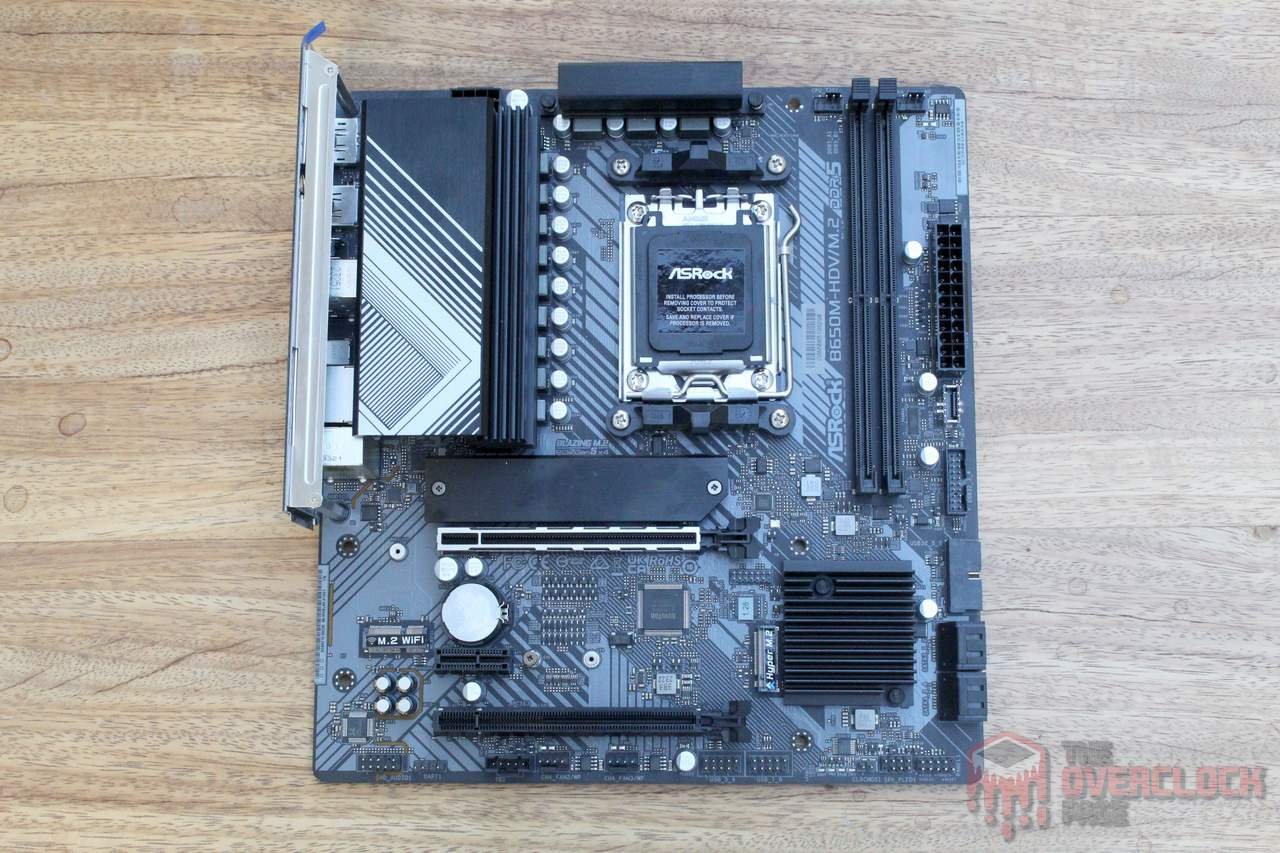
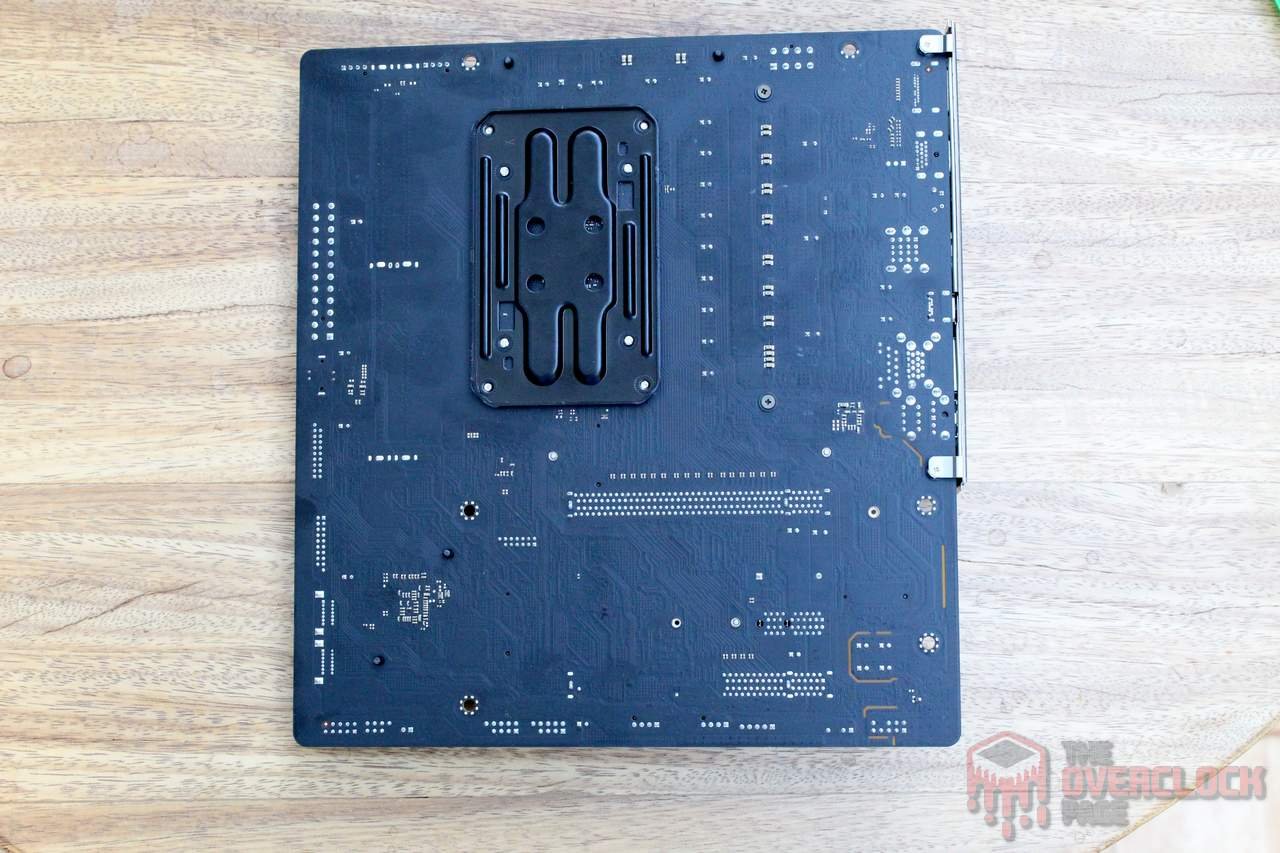
ASRock has done a commendable job with the PCB layout of this motherboard, ensuring overall good positioning of components. One highlight is that despite this model not coming with a Wi-Fi module, the manufacturer has provided a dedicated slot for its installation, along with space for antennas. However, despite the positive aspects, there are a few observations to note.
- The second M.2 port (Hyper M.2) ends up being positioned beneath GPUs with two or more slots, so it’s essential to be mindful of the height of the SSD heatsink used or even avoid using SSDs with higher power consumption there, as they might experience throttling due to reduced airflow.
- ASRock chose not to include power on/off and reset buttons on this motherboard, which is somewhat standard for entry-level models from all manufacturers. However, it could have been different, considering the low cost of two simple buttons and their usefulness.
- Due to the B650 chipset, the primary PCI-E slot on this motherboard is only compatible with Gen 4, while only the primary M.2 slot, the one with a heatsink, supports Gen 5.
- If you’re looking for RGB lighting, this is not the right motherboard, as it does not include a controller or support for this feature, which is understandable for an entry-level board.
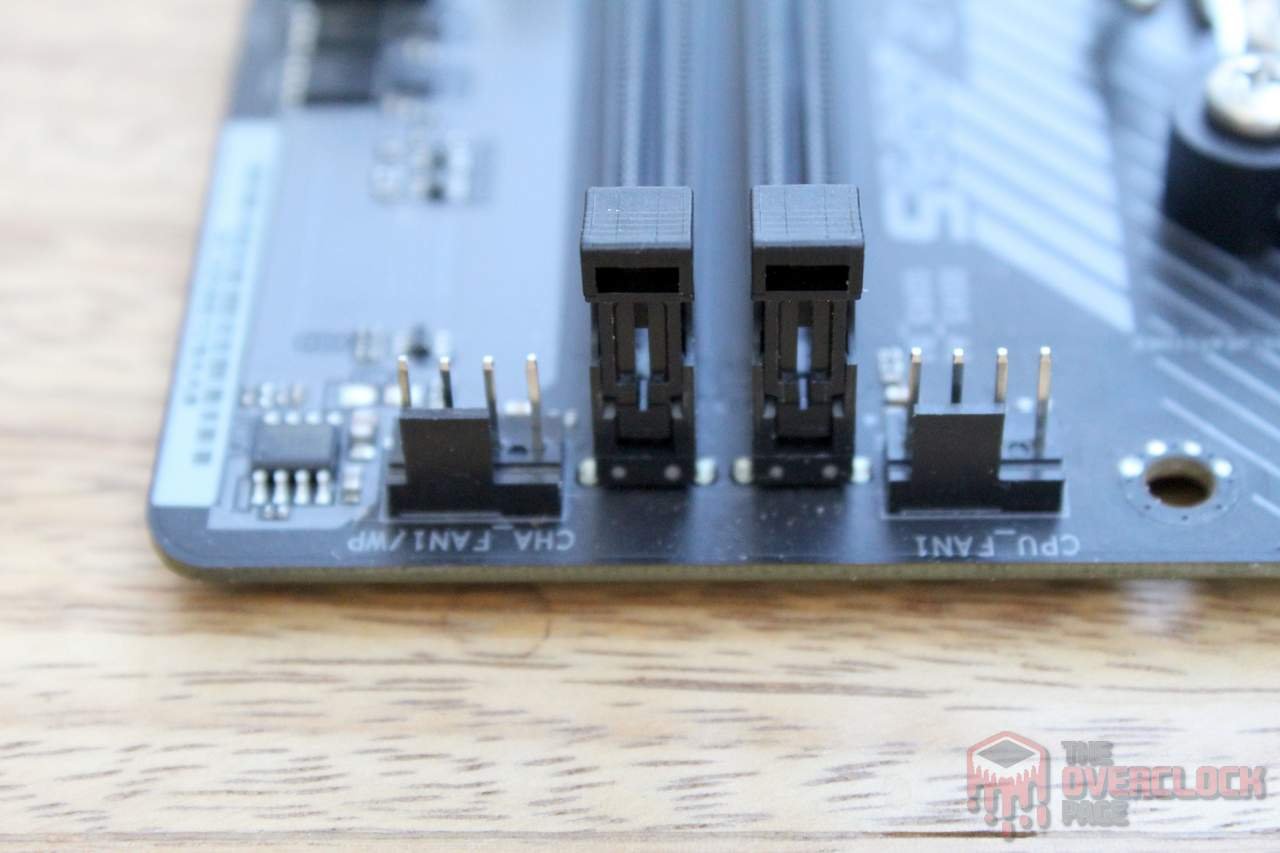
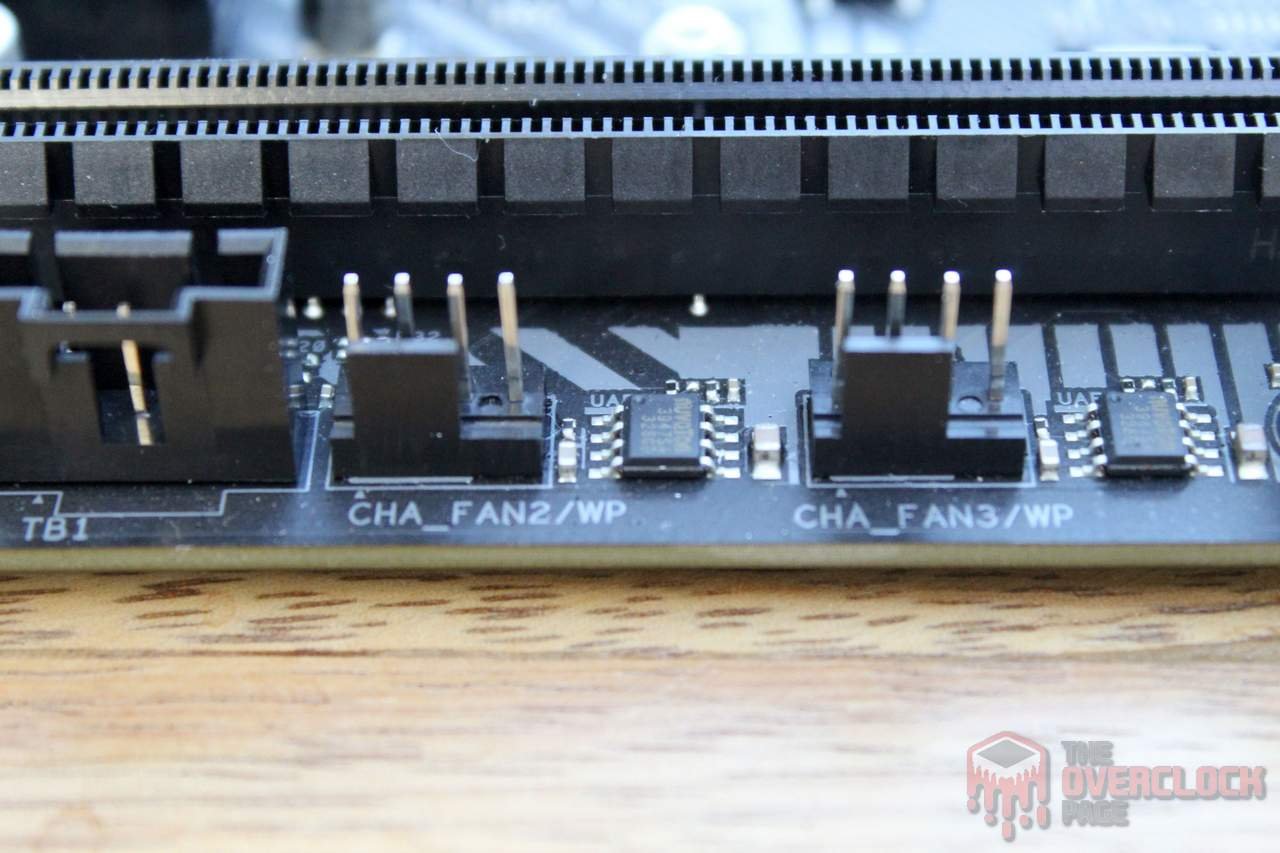

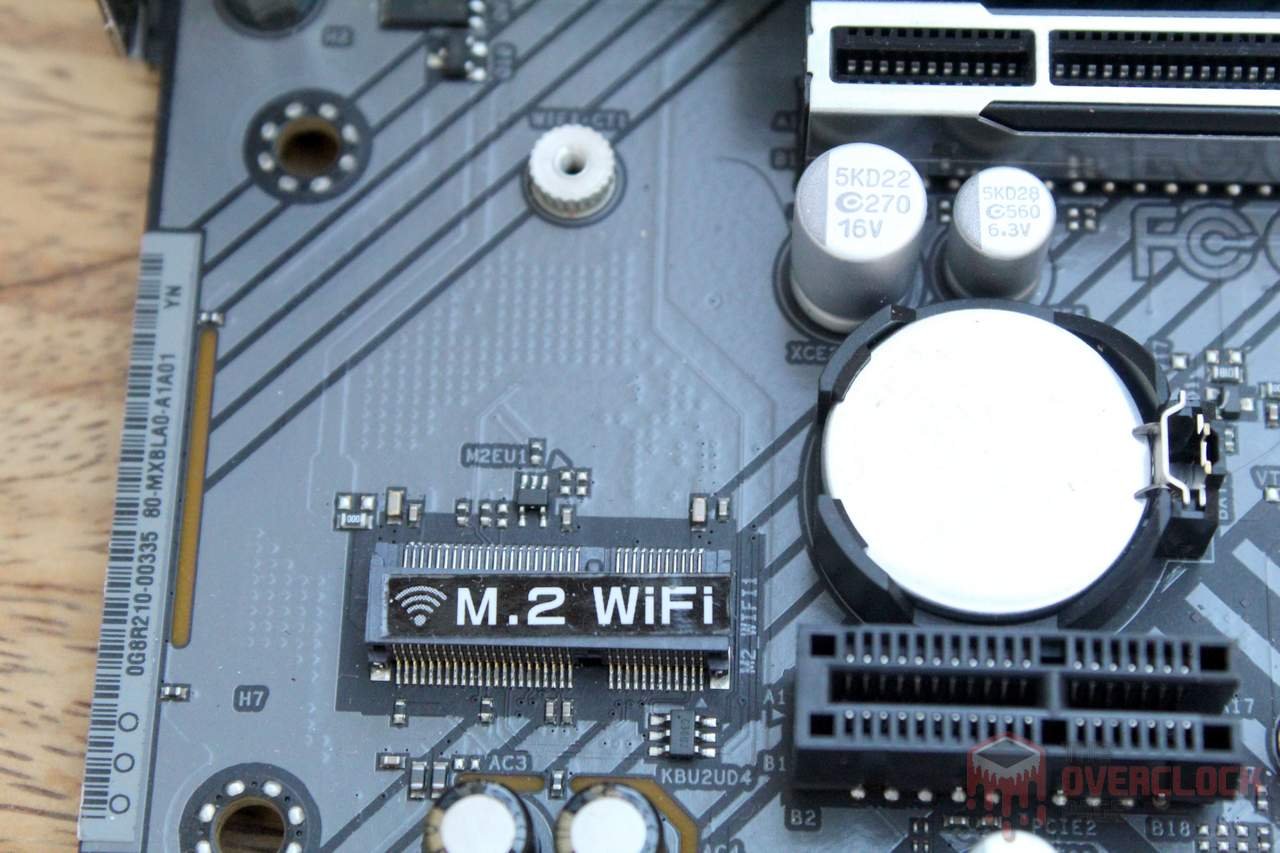
Regarding storage, the M.2 slots are connected to the CPU, with the “Blazing M.2” supporting PCI-E 5.0 and the second slot supporting 4.0. Additionally, there are four SATA ports with support for RAID 0, 1, and 10.

The audio codec used is the “veteran” Realtek ALC897, which is a familiar component, found in various other boards tested on this page before. As for the LAN, it’s 2.5GbE and utilizes the RTL8125BG chip.

The rear I/O shield is already integrated into the motherboard, which is a significant positive point! There’s a BIOS FLBK button, allowing BIOS updates without a processor, two slots for Wi-Fi antennas, 1x DisplayPort and HDMI, 1x USB Type-C with USB 3.2 Gen 1 support, 2x USB 3.2 Gen 1 Type-A, 4x USB 2.0/1.1, 1x Ethernet, and 1x simple audio panel (Line Out, Mic, and S/PDIF Out).
Although this is an entry-level motherboard, it would have been beneficial for the manufacturer to include more USB ports, which wouldn’t have been too complicated given the available space.

For the B650M-HDV/M.2, the manufacturer chose to use two aluminum heatsinks with fins, where the larger one was correctly employed on the VDDCR phases, which deal with higher loads. Interestingly, only this piece uses screws for fixation, while the VDDSOC and VDDMISC part is fixed with plastic pins, which don’t provide the same level of pressure as screws.
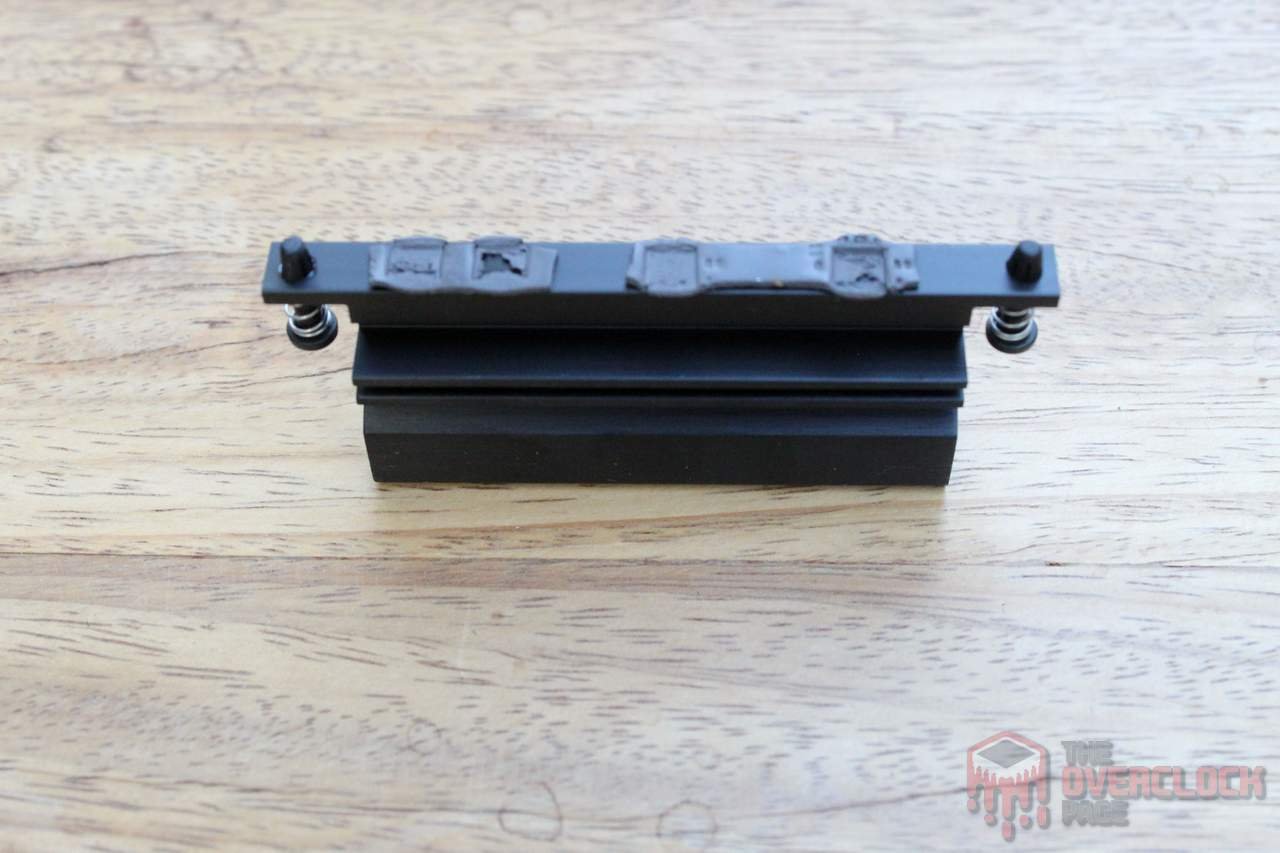
As mentioned earlier, for the Blazing M.2, an aluminum plate without fins was used as a heatsink, which comes with a thermal pad that makes direct contact with the SSDs.



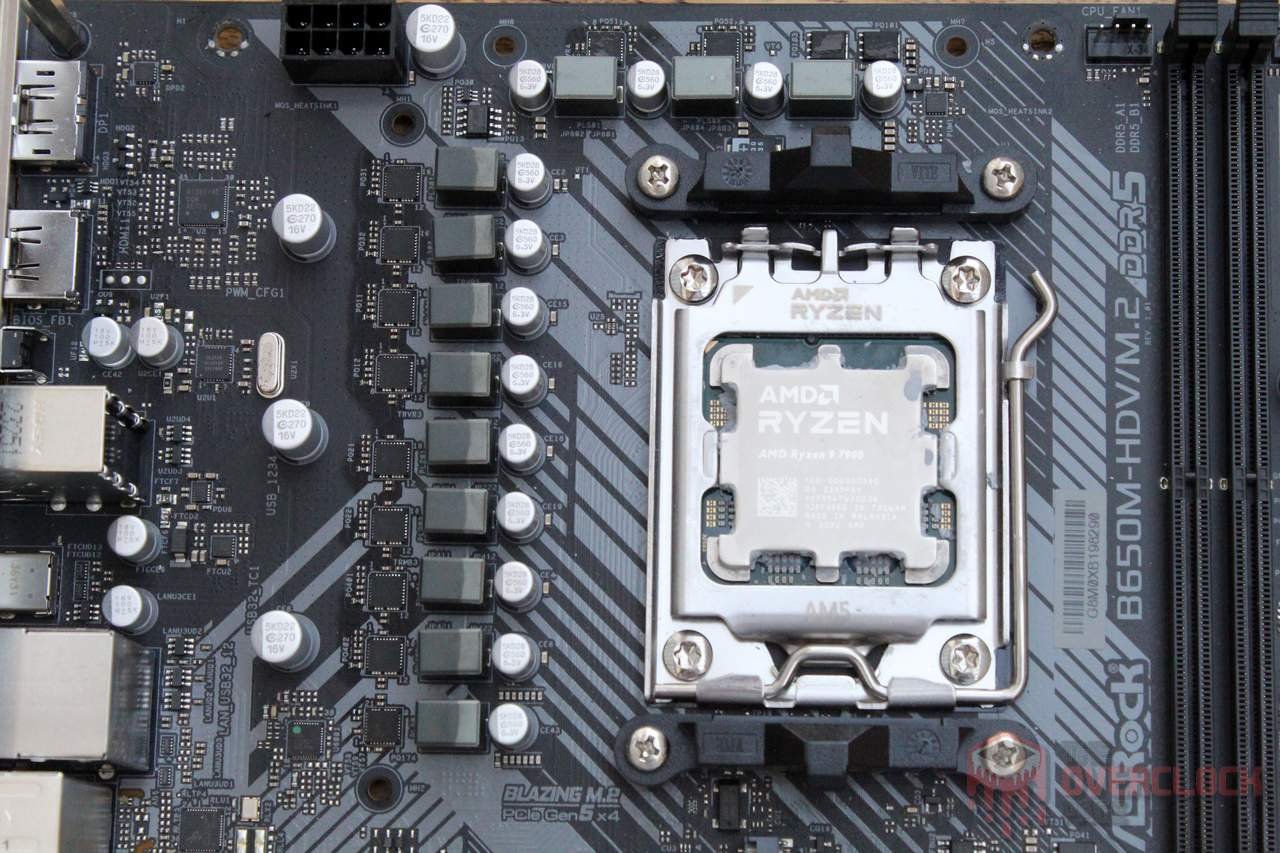
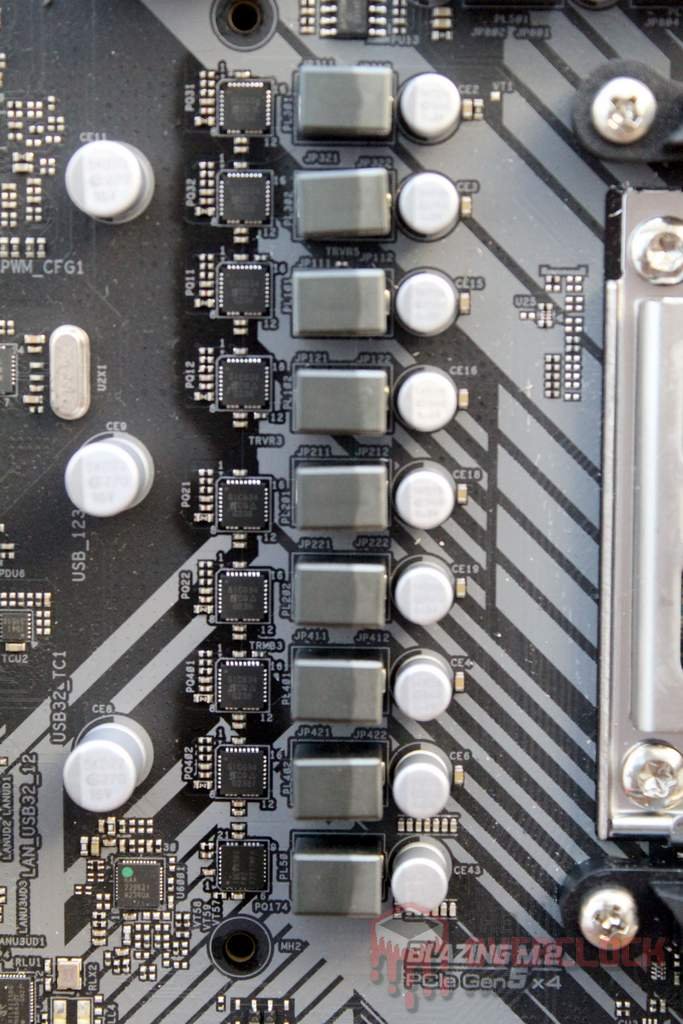
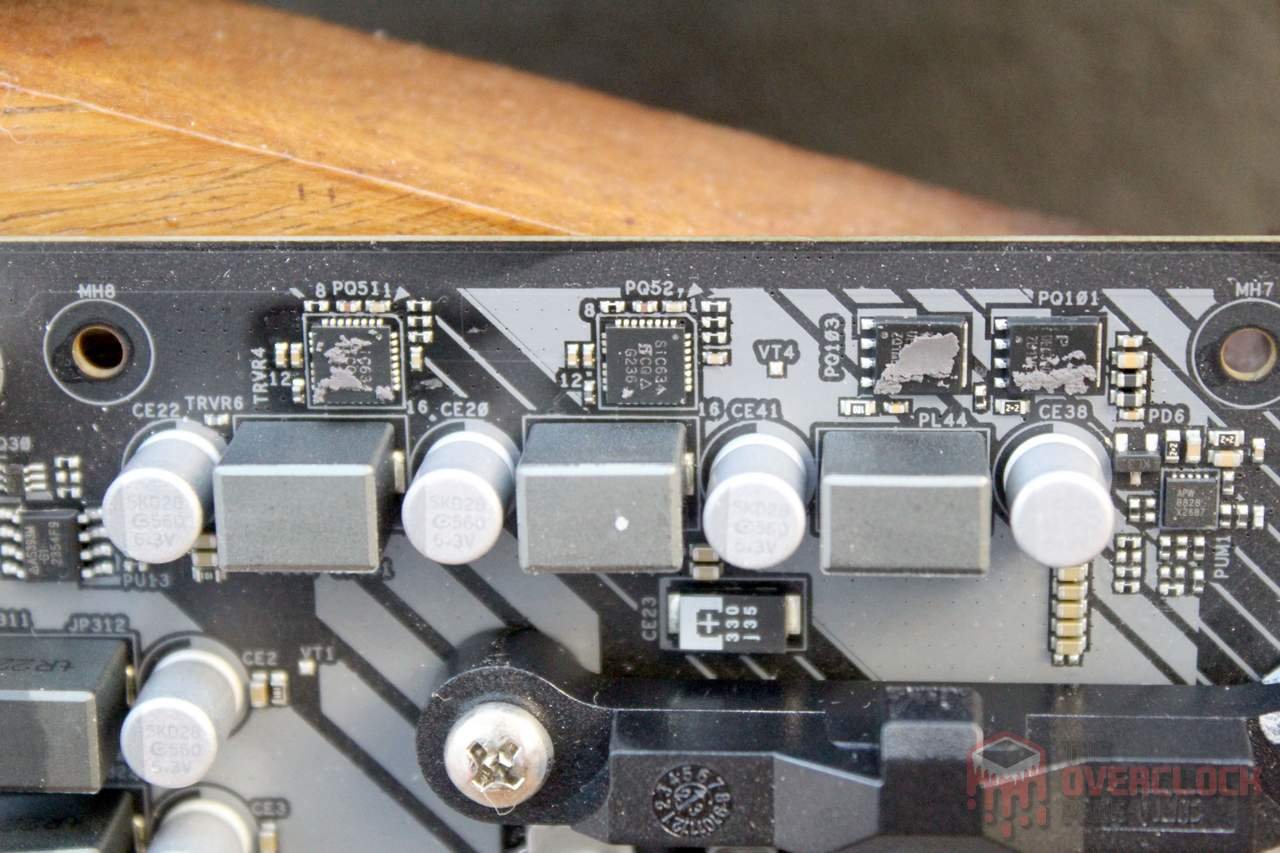
Regarding the VRM, ASRock chose to use a 4+1+1 phase arrangement (VDDCR+VDDSOC+VDDMISC), triggering two power stages with the same PWM signal, which they refer to as an “8+2+1 VRM Design,” although technically it’s not. Nonetheless, this doesn’t imply that this is a poor solution; it all depends on the implementation, as we’ve seen similar setups on boards like the ASUS TUF B550/X570.
Regarding components, the Richtek RT3674AE PWM controller was used, enabling control of 4+1+1 phases without doublers, along with Vishay SiC634 power stages with a maximum labeled current of 50A.
Regarding heat dissipation from the VDDCR phases, with a stock R9 7950X (maximum 160A as per the PPT parameter), the VRM should dissipate around 14.4W or about 1.8W per power stage. Coupled with the decent cooling system, this implies that this motherboard should hardly have issues handling current CPUs, even those with a 170W TDP.


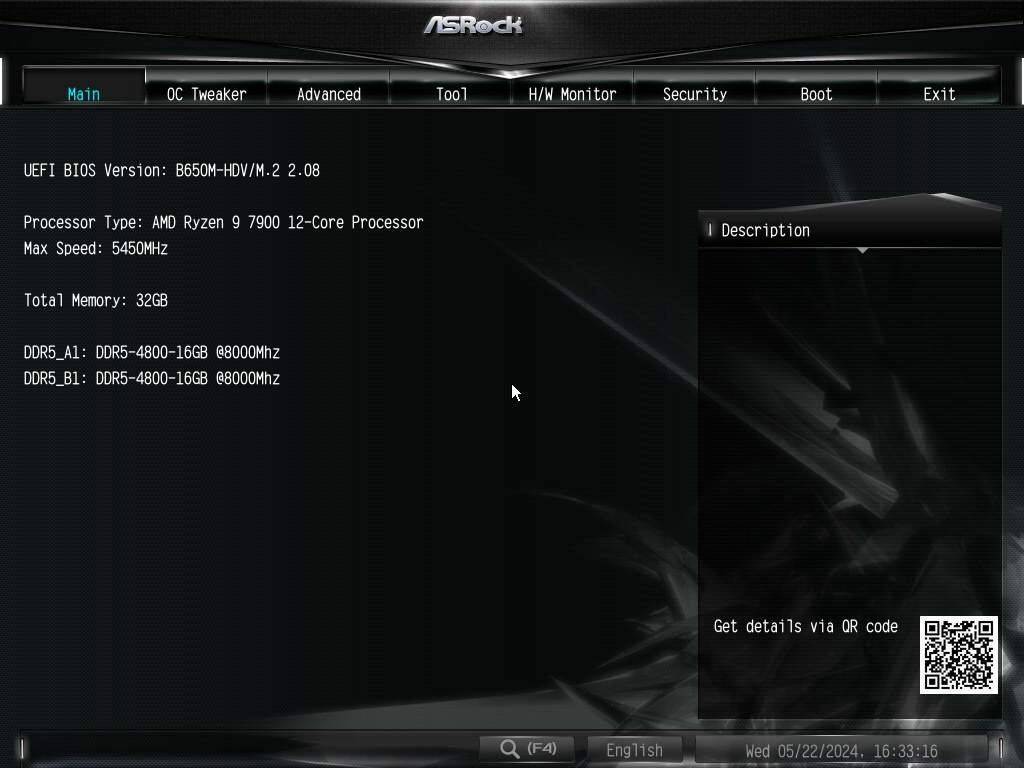
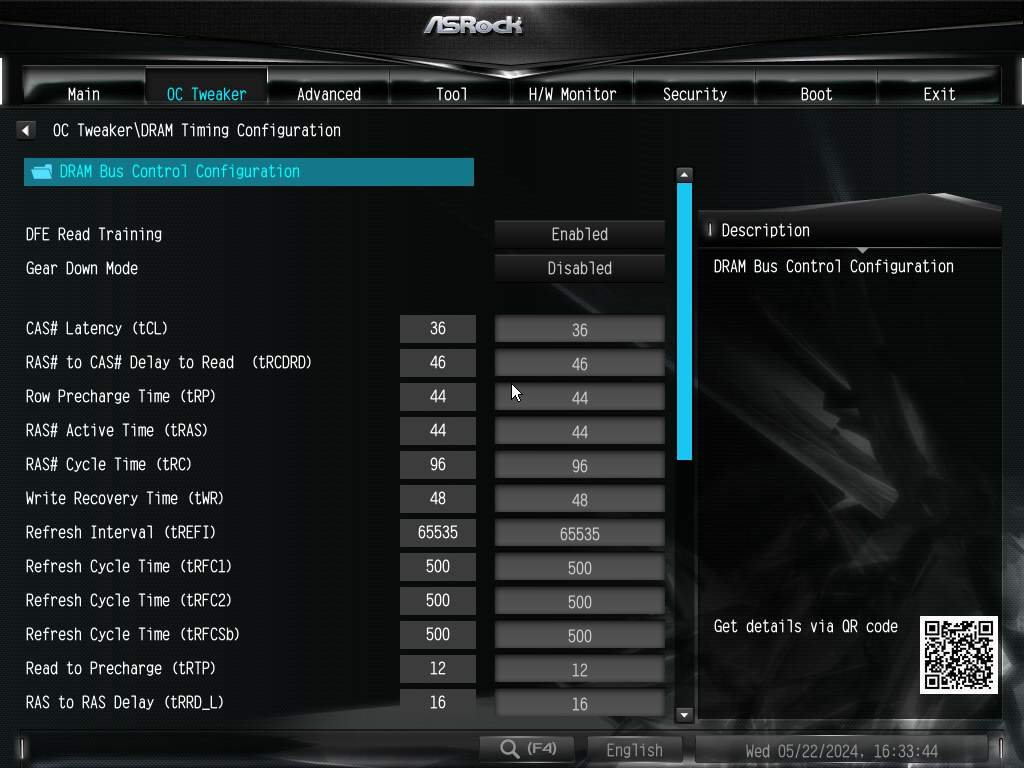
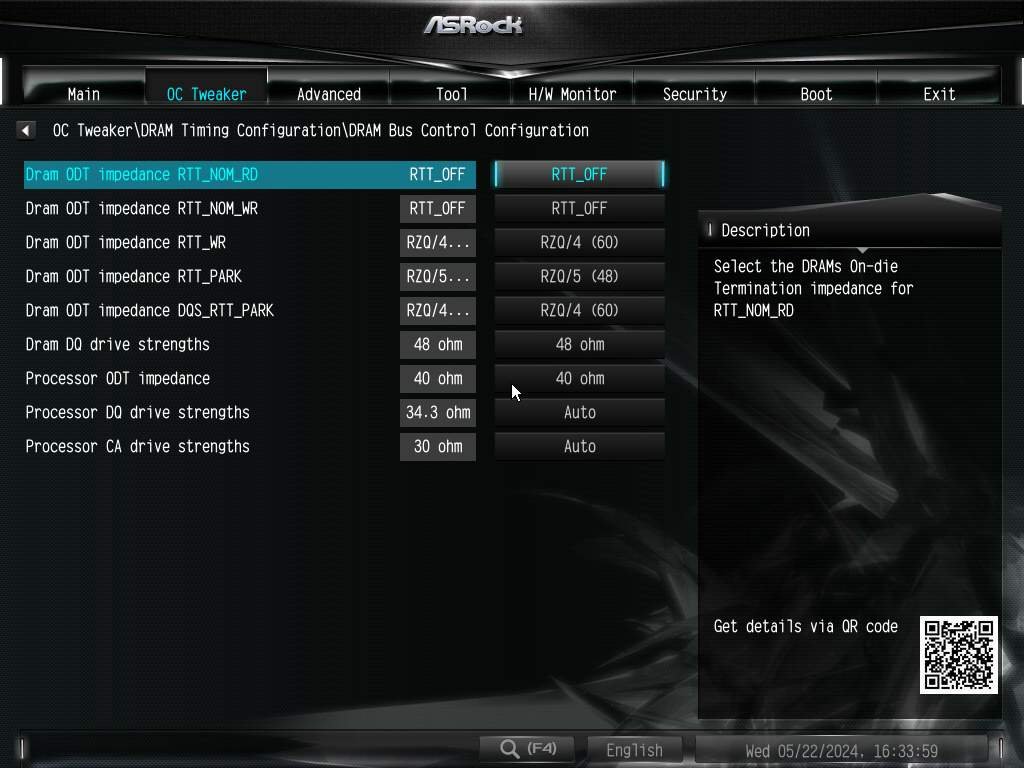
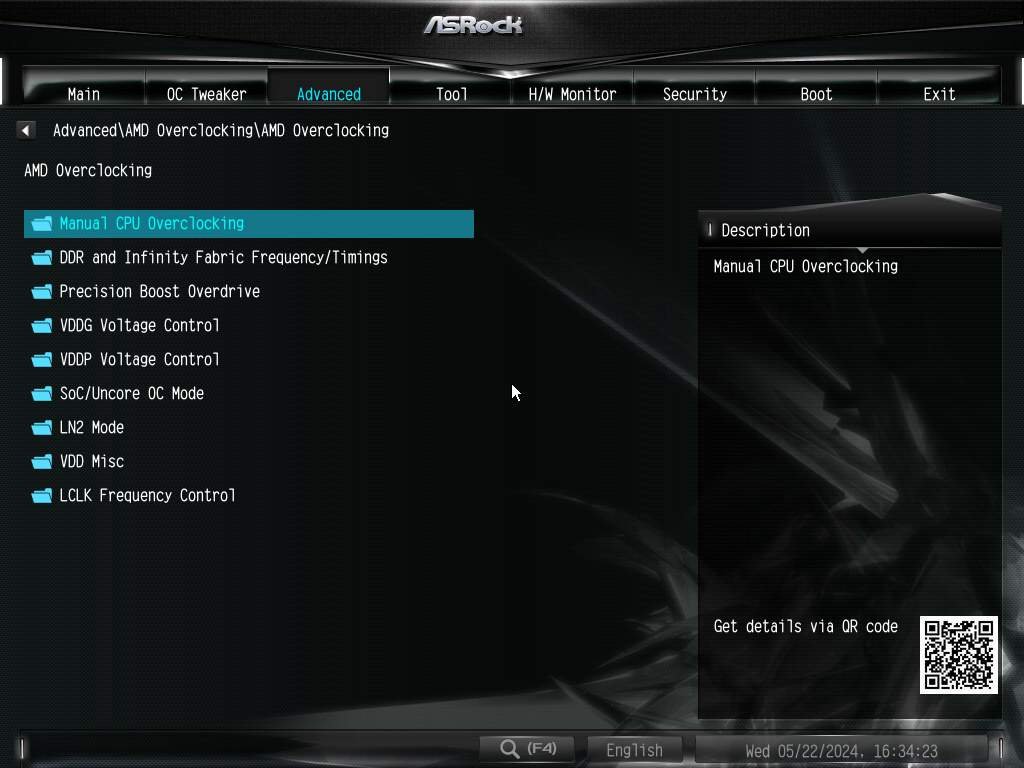
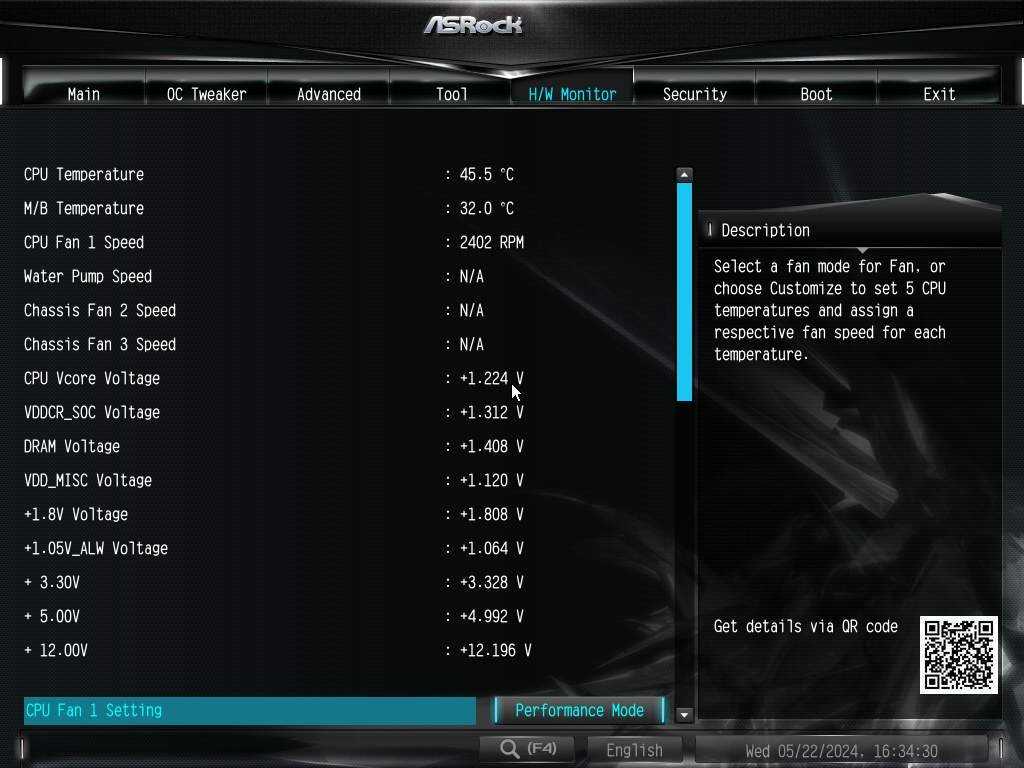
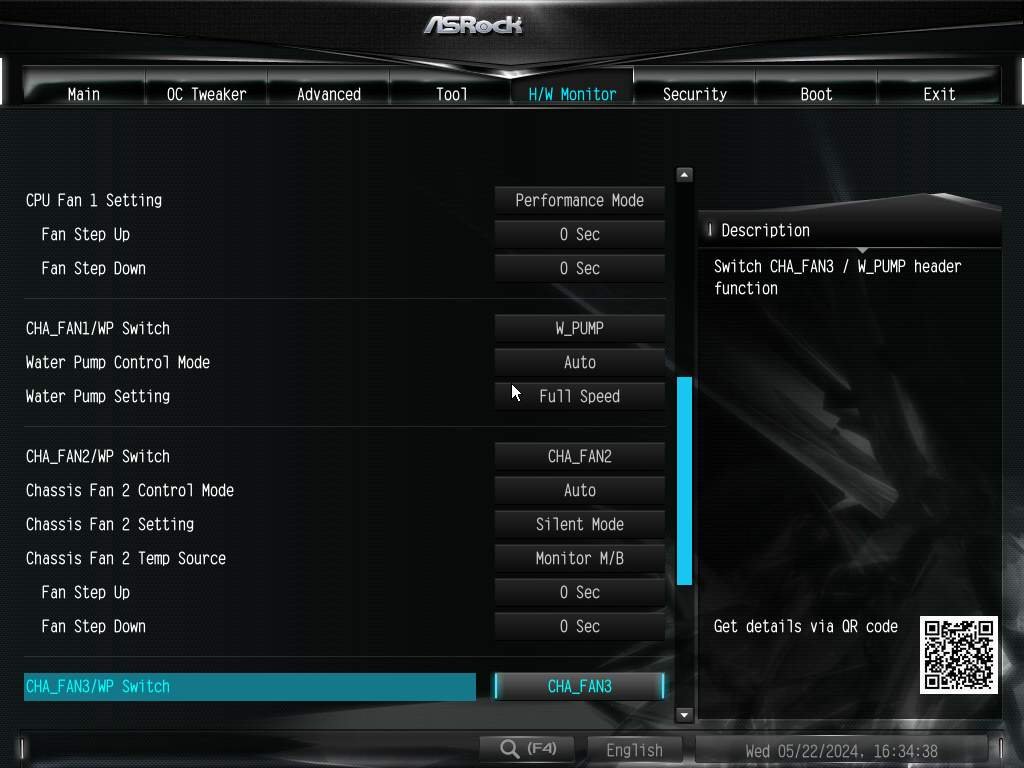
The UEFI follows exactly the same pattern as found in other ASRock motherboards we’ve recently tested. This is good news because the interface is intuitive, and the available adjustments are sufficient even for the most demanding overclockers.
Regarding the main voltage adjustments, the CPU Vcore goes up to 2V, SOC up to 1.3V, VDDIO_MEM up to 1.6V, VDD/VDDQ up to 2.070V, DDR_VPP up to 2.130V, VDDP, and VDDG up to 2V. These values are more than enough even for extreme overclocking.
It’s important to note that these tests were conducted some time ago, and since then, new BIOS versions have been released by ASRock. However, at least until P3.01AS1, there have been no significant changes in the available options compared to P2.08.



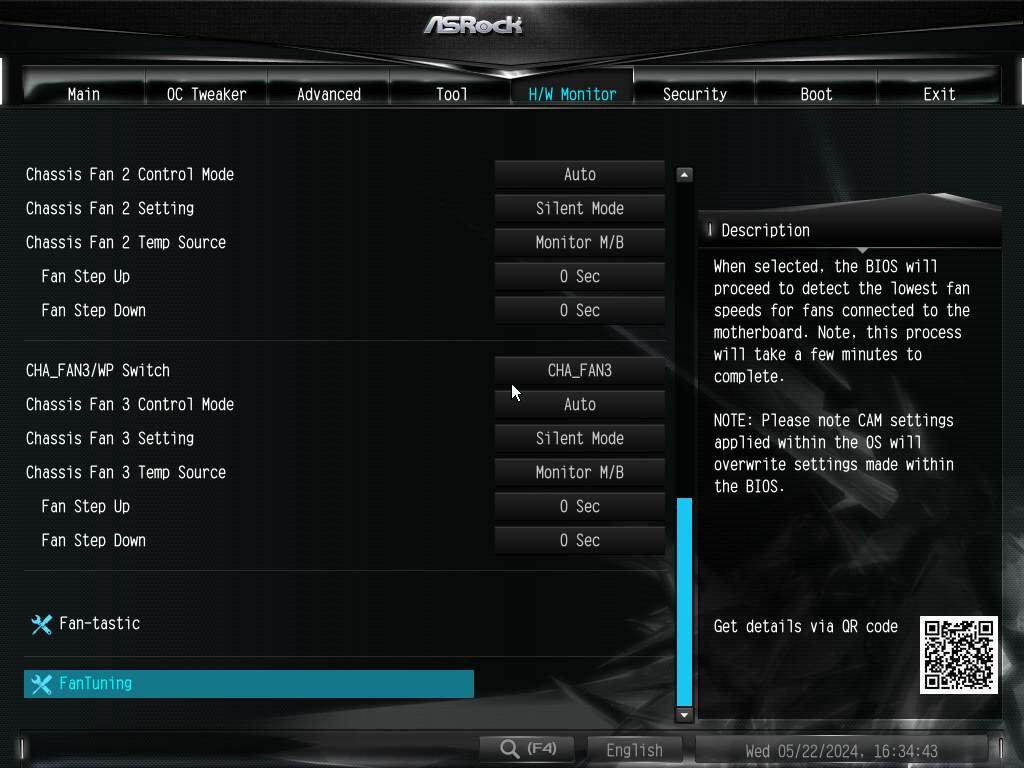
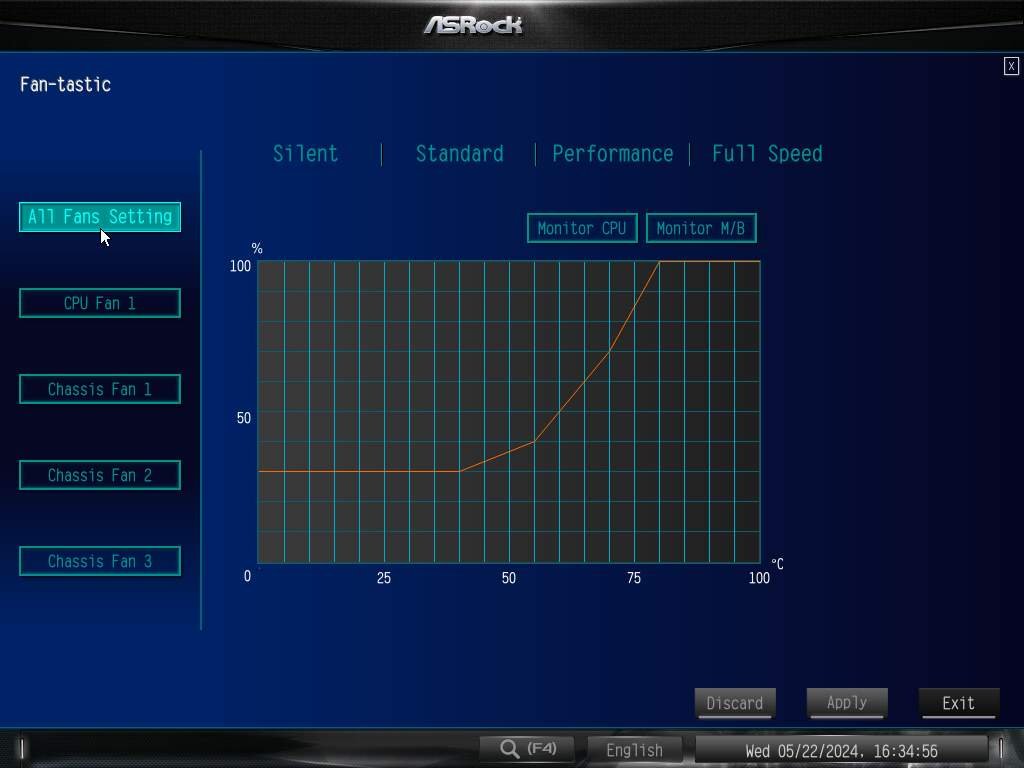
If anyone is interested, here’s the link to the manufacturer’s website where you can find the product specifications.
Are you interested in purchasing this motherboard? By using one of the links below, you’ll help support the website/channel to keep bringing content.
Settings Used:
CPU: AMD Ryzen 9 7900 and Ryzen 7 8700G (Thanks to AMD!)
MOBO: ASRock B650M-HDV/M.2 (UEFI P2.08)
RAM: 2×16 GB Kingston Fury 8000CL38 / 2×24 GB Kingston Fury 6400CL32 (Thanks to Kingston!) / 2×16 GB Kingbank 6800 CL34
GPU: Galax GTX 1650 Super (Thanks to Galax!)
PSU: Coolermaster MWE 1250 Gold V2 (Thanks to Cooler Master)
COOLER: 1STPlayer TS-360
STORAGE: Crucial BX300 120GB, WD Black SN850 500GB
EXTRAS: ElmorLabs PMD, ElmorLabs KTH-USB
SOFTWARE: Windows 10, Blender 3.4, Crystalmark 8.0.5 x64, HWiNFO 7.40, Geekbench 3.4.4, TM5 0.12 v3.
Testing Objectives:
The purpose of this article is to assess whether the ASRock B650M-HDV/M.2 is indeed a good motherboard option by testing how its VRM performs under load, compatibility, memory overclocking using modules with different chips, and the performance of M.2 and SATA storage.
Explanations regarding the adopted methodology or how the tests were conducted are detailed in the accompanying texts that follow the results.
M.2/SATA Performance:
To assess the performance of M.2 and SATA, CrystalDiskMark 8.0.5 was employed. The aim is to test whether the manufacturer implemented these interfaces well, using SATA and NVMe drives capable of reaching the bandwidth limits offered by these buses.
M.2:
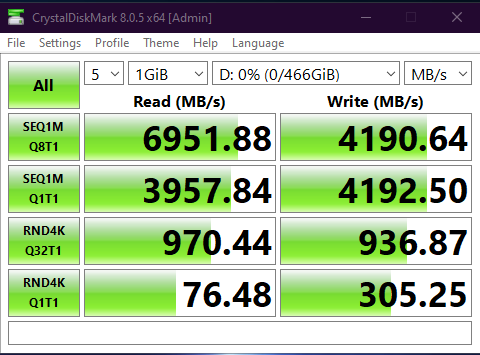
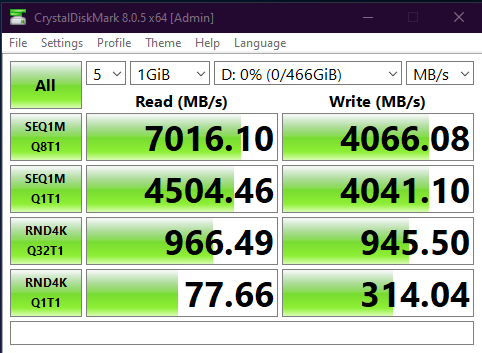
Both M.2 slots offer adequate performance for any PCIe 4.0 NVMe SSD available on the market, showcasing similar throughput and reaching the specified sequential read/write limits for the SN850.
Unfortunately, we don’t have a Gen5 SSD to test the performance of the “Blazing M.2” with a next-generation SSD.
SATA:


Just like with the M.2 slots, it was also possible to reach the limits of the SATA ports, with them showing very similar performance levels.
Memory Compatibility and Overclocking:
Due to the 1DPC layout, meaning with only two memory slots, the B650M-HDV/M.2 tends to be competent when it comes to memory overclocking. After all, when implemented well, this topology is the best option from a signal integrity standpoint. However, that’s not all; the UEFI part and the CPU memory controller also play a significant role.
That said, we tested a Hynix M-Die 24-Gbit kit and two Hynix A-Die 16-Gbit kits from different manufacturers, with varying results!
On the positive side, all of these memories performed well, and with at least the Ryzen 7 8700G, they were able to reach at least 8000 MT/s, a respectable mark for a CPU that benefits from fast memories. In fact, with the Kingbank A-Die kit, it was possible to run benchmarks at 9200 MT/s and achieve stable 8000 MT/s with the Ryzen 9 7900!
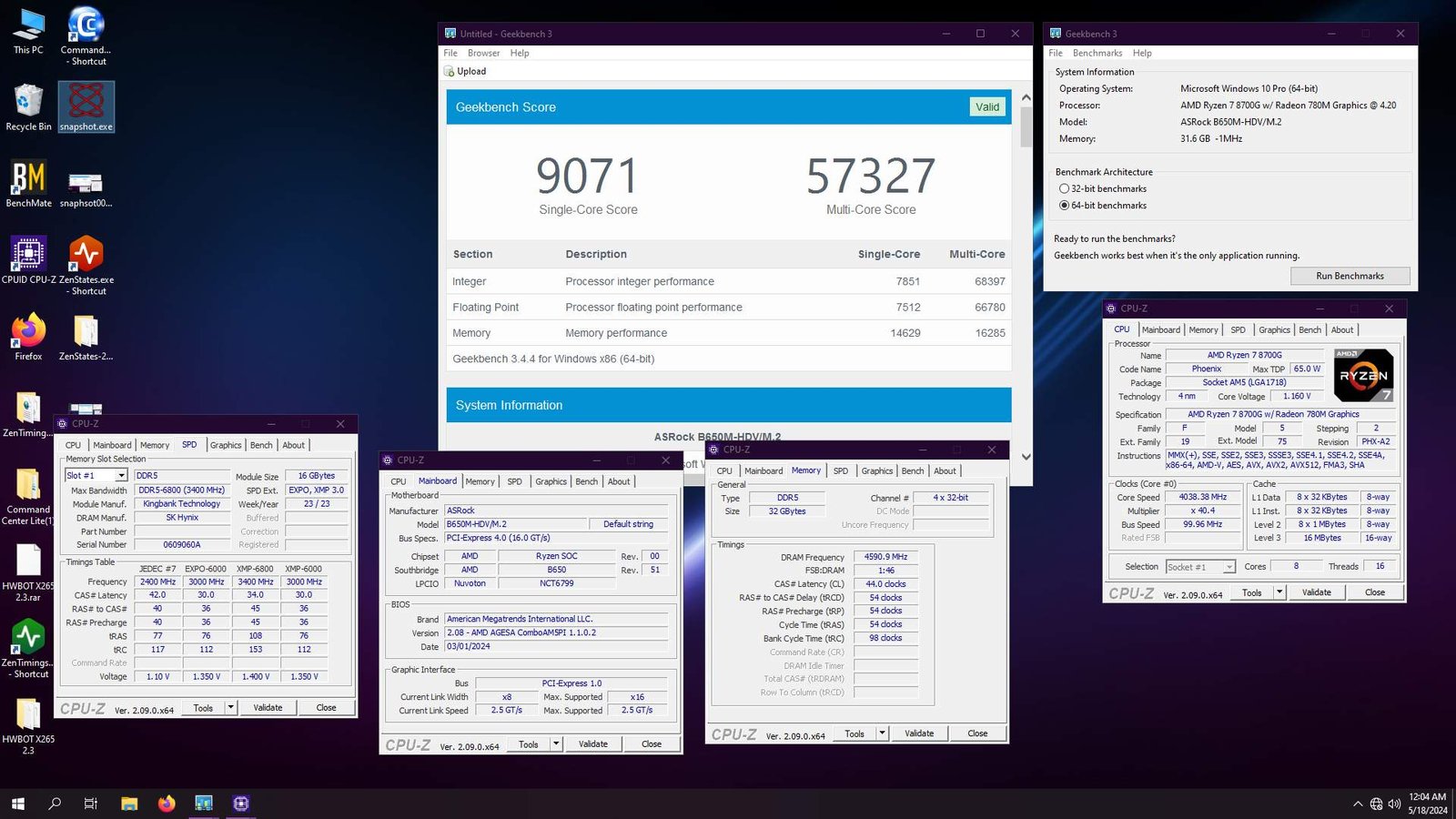
However, the Kingston kits didn’t have the same luck, with the Hynix M-Die 24-Gbit hitting a limit at around 8400 MT/s, something that was possible to surpass on another motherboard using the same CPU. The A-Die kit also fell short of 9000 MT/s. In other words, not all kits, even if they are capable of higher speeds, can shine on this ASRock motherboard.
Another observation is that, at least in some aspects, the BIOS of this motherboard is somewhat crude requiring manual adjustment of all termination impedances to get the memories to perform optimally. Additionally, in case of a POST failure, the motherboard doesn’t recover automatically, necessitating a Clear CMOS reset.
VRM and Operating Temperature:
To check the VRM temperature, a type K thermocouple was installed with a sticky thermal pad on the back of the motherboard, just below one of the phases, as shown in the photo below.
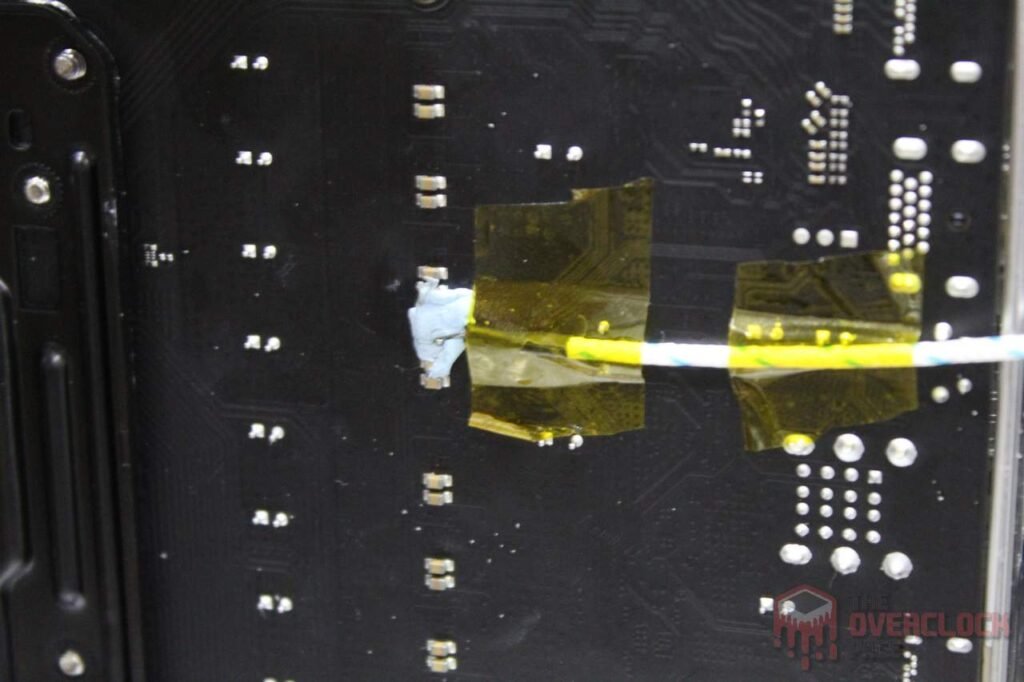
The Blender software was used to render the “Classroom” demonstration for half an hour while using HWiNFO to monitor and record the system’s “vital signs” during the test. At the end of the test, notes were taken of both the ambient temperature and the thermocouple installed on the motherboard.
For this test, the Ryzen 9 7900 with PBO active was used, allowing the CPU to exceed its TDP. In this case, a consumption of about 210W was observed directly at the EPS connector, and around 182W in the CPU Package Power reading via HWiNFO.
It’s important to note that these tests were conducted on an open test bench, and the “ambient temperature” inside a case tends to be somewhat higher depending on the hardware used, the case’s ventilation design, and the room temperature where the computer is located.
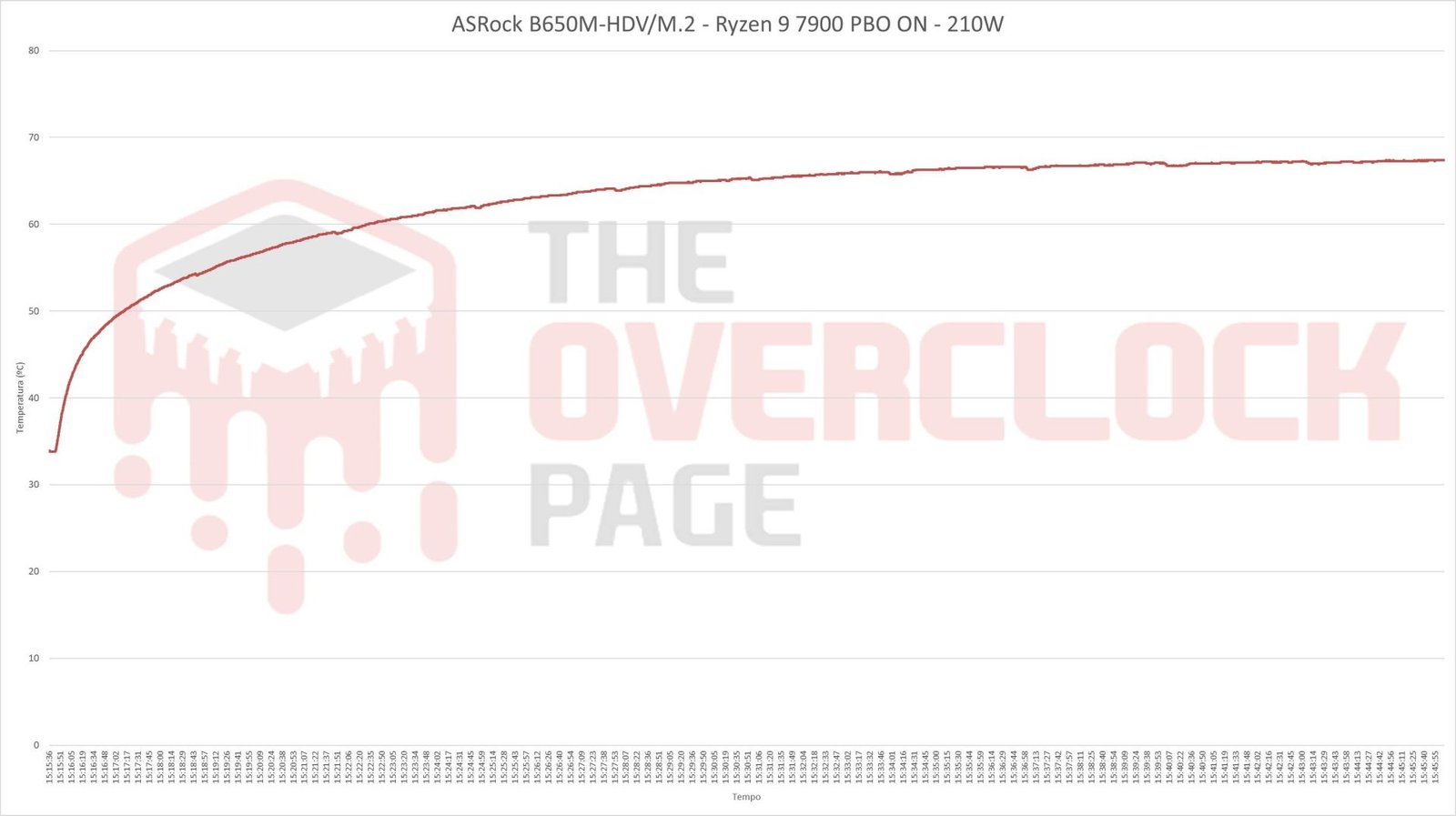
As expected based on the “theoretical” discussion about the VRM of the ASRock B650M-HDV/M.2, it had no trouble handling the Ryzen 9 7900 with the TDP released, stabilizing the VRM temperature below 70°C after half an hour of rendering the animation in Blender. This was achieved with an ambient temperature of around 28°C, which is excellent and indicates that this motherboard can be safely used even with a Ryzen 9 7950X with PBO enabled.
Conclusion:
From the perspective of layout, quality, and features offered, ASRock has done an excellent job with the B650M-HDV/M.2, delivering a motherboard with a well-thought-out layout, solid construction, an acceptable VRM cooling system, and an integrated rear panel with a mirror. This saves users from the frustration of realizing they forgot the rear panel after assembling the entire machine. However, it lacks integrated power on/off and reset buttons, which is a common omission in many boards in this segment.
Regarding the features offered, it includes 2.5Gb LAN and ALC897 audio from Realtek, which aligns well with the board’s overall proposition.
Regarding the motherboard’s BIOS, it follows the same pattern as other ASRock boards we’ve tested before, which is a good thing as the manufacturer has done a decent job with the UEFI interface and usability. In terms of available settings, there’s plenty, more than enough even for extreme overclocking, leaving plenty for those who just want something for daily use.
A couple of observations remain, though. The memory settings can still be a bit “Soviet,” requiring extensive manual adjustments in terminations to achieve optimal results. Additionally, the motherboard doesn’t recover automatically after a POST failure, necessitating a Clear CMOS reset in such cases.
In terms of PCI-E 5.0 support, due to the B650 chipset, it’s limited only to the “Blazing M.2” slot, with the other M.2 slot and PCI-E slots operating in Gen4 mode. Unfortunately, we don’t have a PCI-E 5.0 SSD to
test the performance of this M.2 slot. However, in Gen4 mode, both M.2 slots were able to deliver maximum performance, just like the SATA ports.
In terms of memory compatibility and overclocking, all tested memories were able to work stably both at stock and overclocked settings, although some kits performed better than others. For instance, the
Kingston kit with M-Die 24-Gbit chips reached 8400 MT/s on the ASRock board but easily surpassed 9000 MT/s on the Aorus board. On the other hand, the Kingbank A-Die kits achieved 9200 MT/s with ease on the ASRock motherboard.
Regarding the VRM, the 4+1 arrangement with two power stages per phase, coupled with the decent heatsink, delivered excellent thermal performance even with the Ryzen 9 7900 with PBO activated. This is a clear indicator that it should also have no trouble handling a Ryzen 9 7950X or any other more powerful processor that may be released in the future.
In terms of price, the ASRock B650M-HDV/M.2 can be found for $130 USD on Amazon. Considering the results presented, this makes it one of the best options for those looking to step into the AM5 socket. It’s clearly capable of delivering maximum performance at a relatively low price. Therefore, we highly recommend this model.