Unlock RX 9070’s Full Potential – Overclocking to Outshine the RX 9070 XT (Guide & Scores)
 by Giancarlo C. Dalmedico "NoMS" January 16, 2026 · Graphics Cards / Reviews / Reviews / VGAs
After a somewhat lackluster generation with the RX 7000, in 2025, AMD dropped the new RX 9070 with RDNA4 architecture, closing the tech gap to NVIDIA in architecture and especially software features like the upscaler, all of that sounds great, but for overclockers, is there something new? That’s what we’ll see in this article, with tests and results!
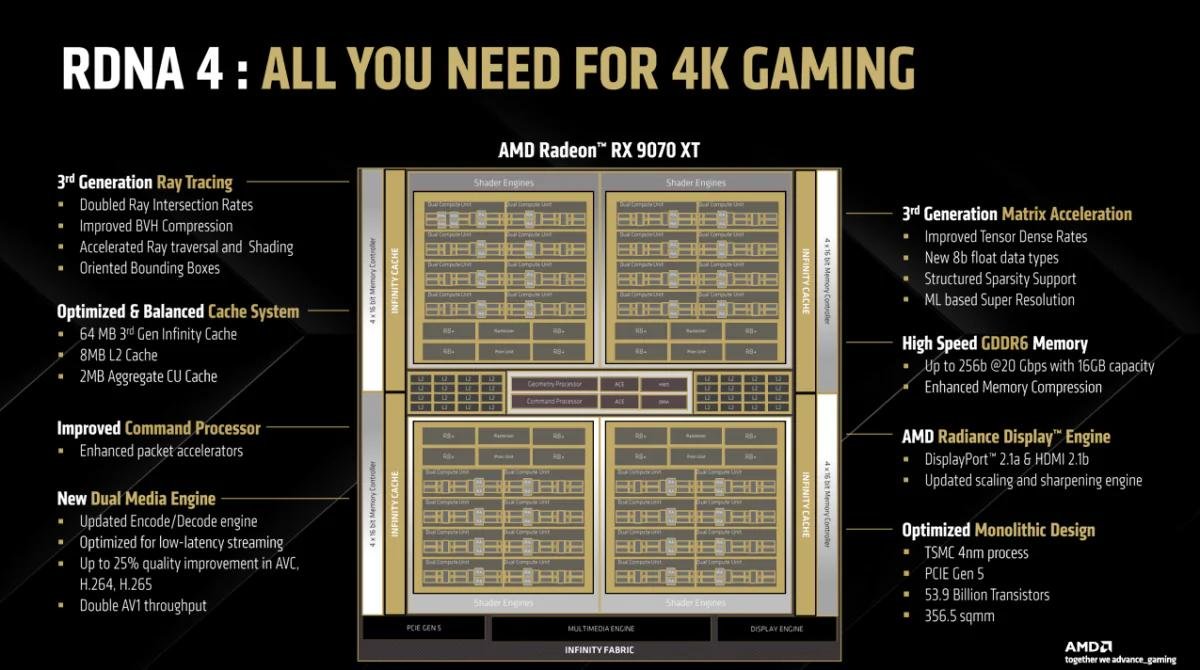
So far, RDNA4’s in two GPUs: Navi 48 and 44, the first powers the 9070 lineup (XT, non‑XT and GRE), the second the 9060s (XT and non‑XT), both built by TSMC on a 4 nm process and using monolithic dies.
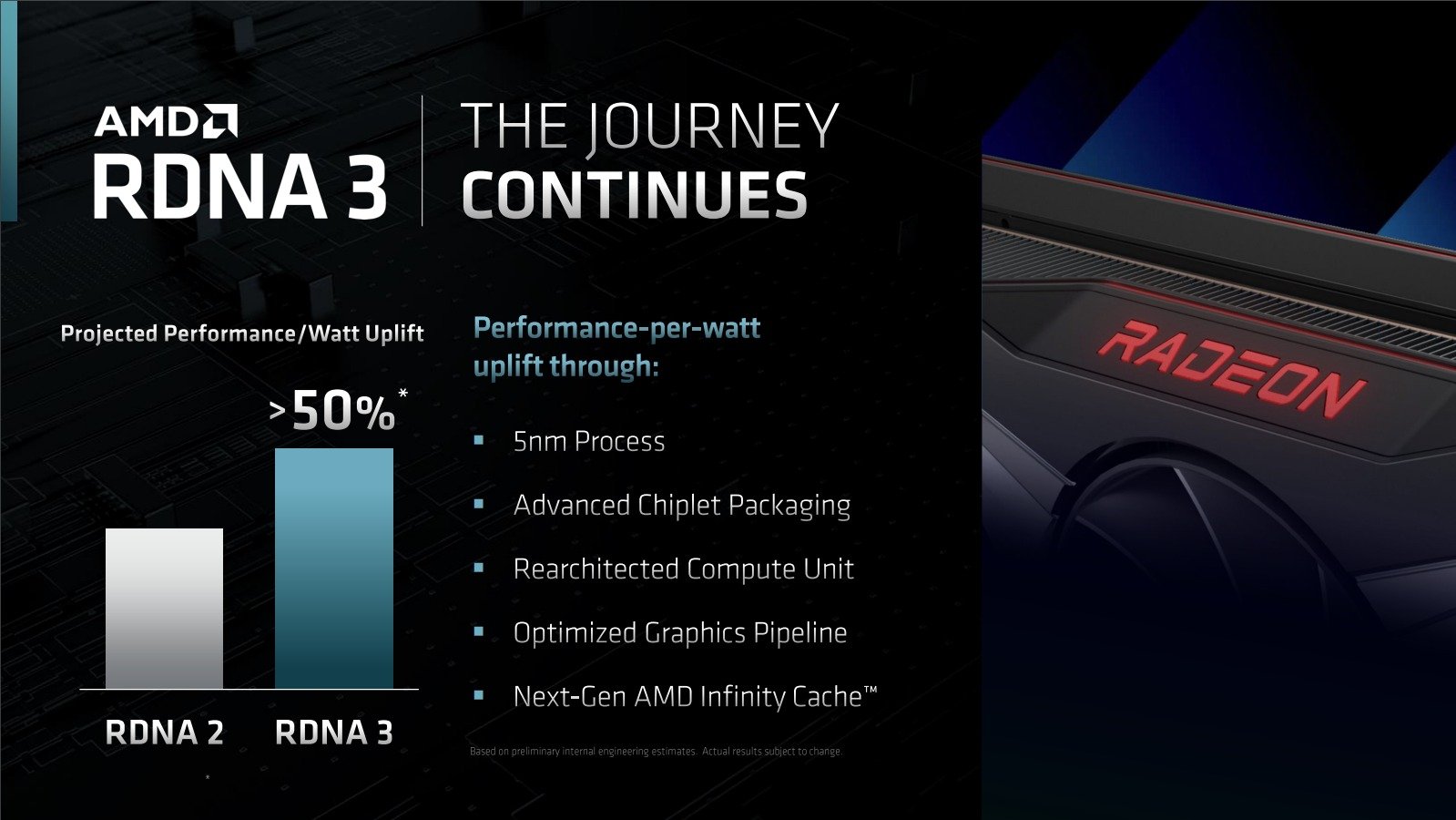
In comparison to RDNA3, almost everything’s bumped up! Ray‑Tracing performance’s become usable, the new media engine cleared the bottlenecks for livestreamers and recorders, and the matrix‑acceleration unit now supports FP8 – the format FSR4 uses.
Despite the great evolution, we don’t have a GPU to compete in the highest market niches, after all AMD chose to recycle the old Polaris strategy, offering only higher‑volume models, which is unfortunate.
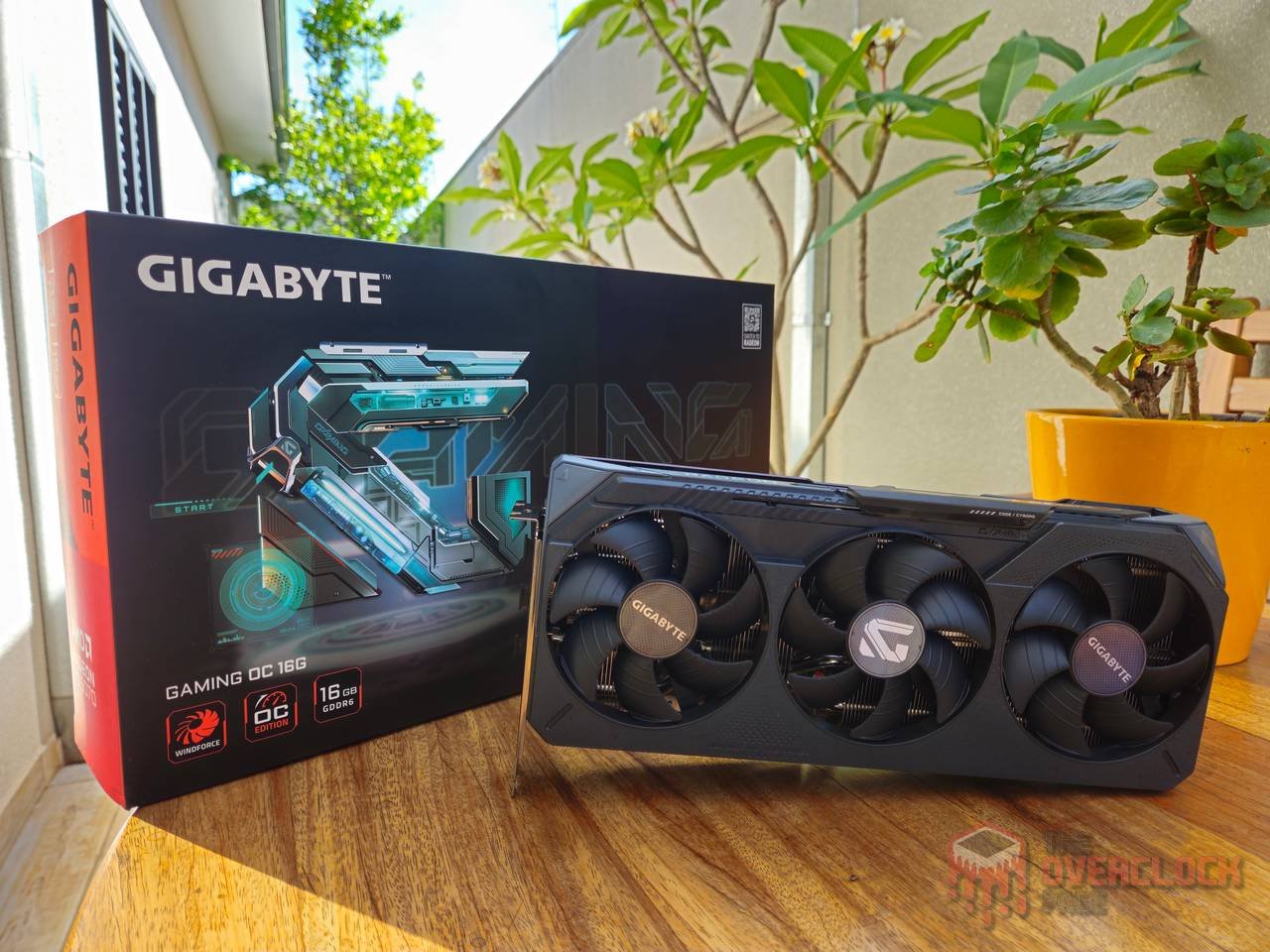
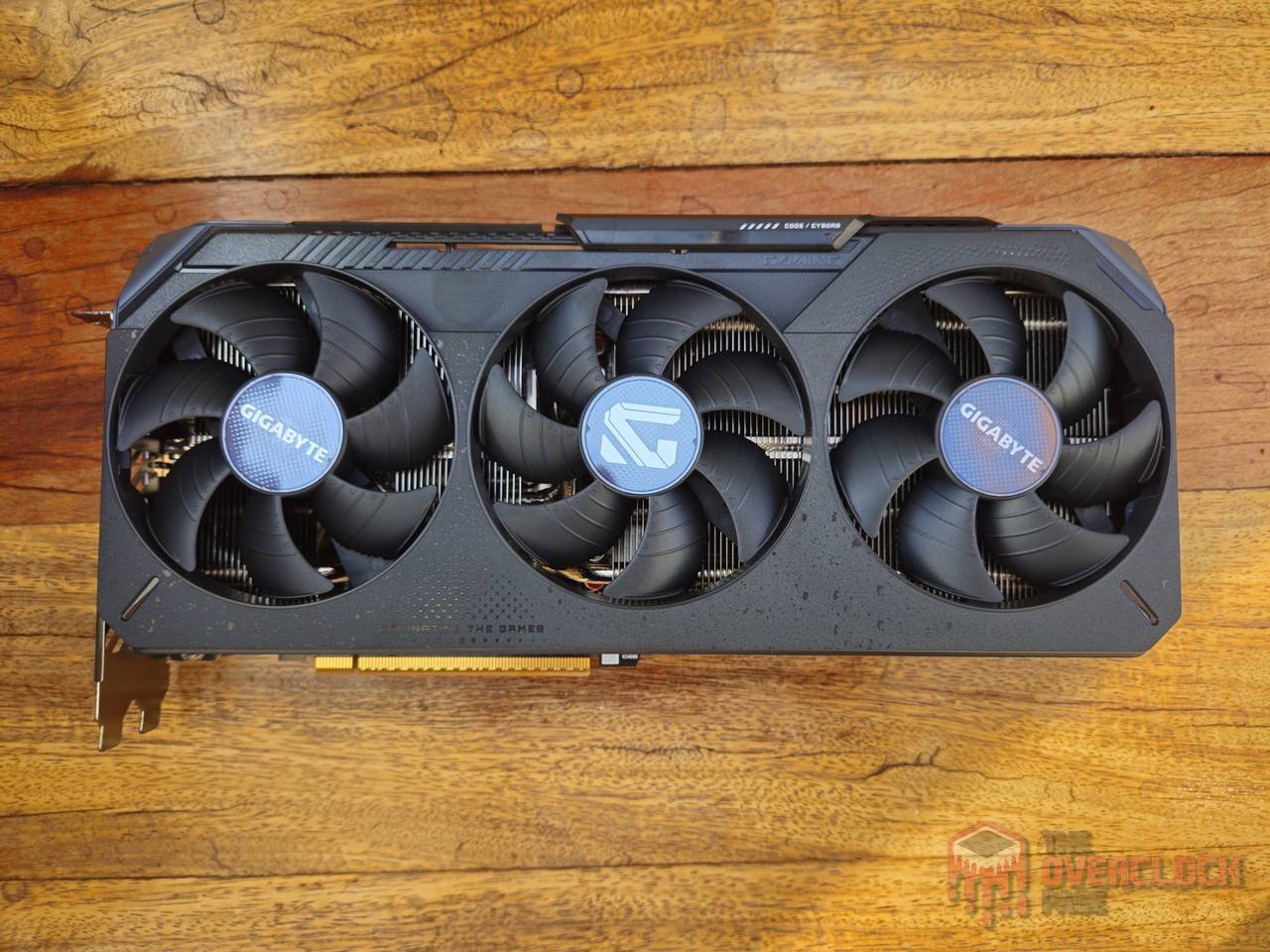
Our test board for this article is a GIGABYTE RX 9070 GAMING OC, which uses the Navi 48 GPU, but with only 56 of the 64 Compute Units active, meaning we also lose some ROPs, TMUs, RT and Matrix Cores, plus the TDP, which on this board is 240 W (220 W for reference models), a big drop from RX 9070 XT 304 W.
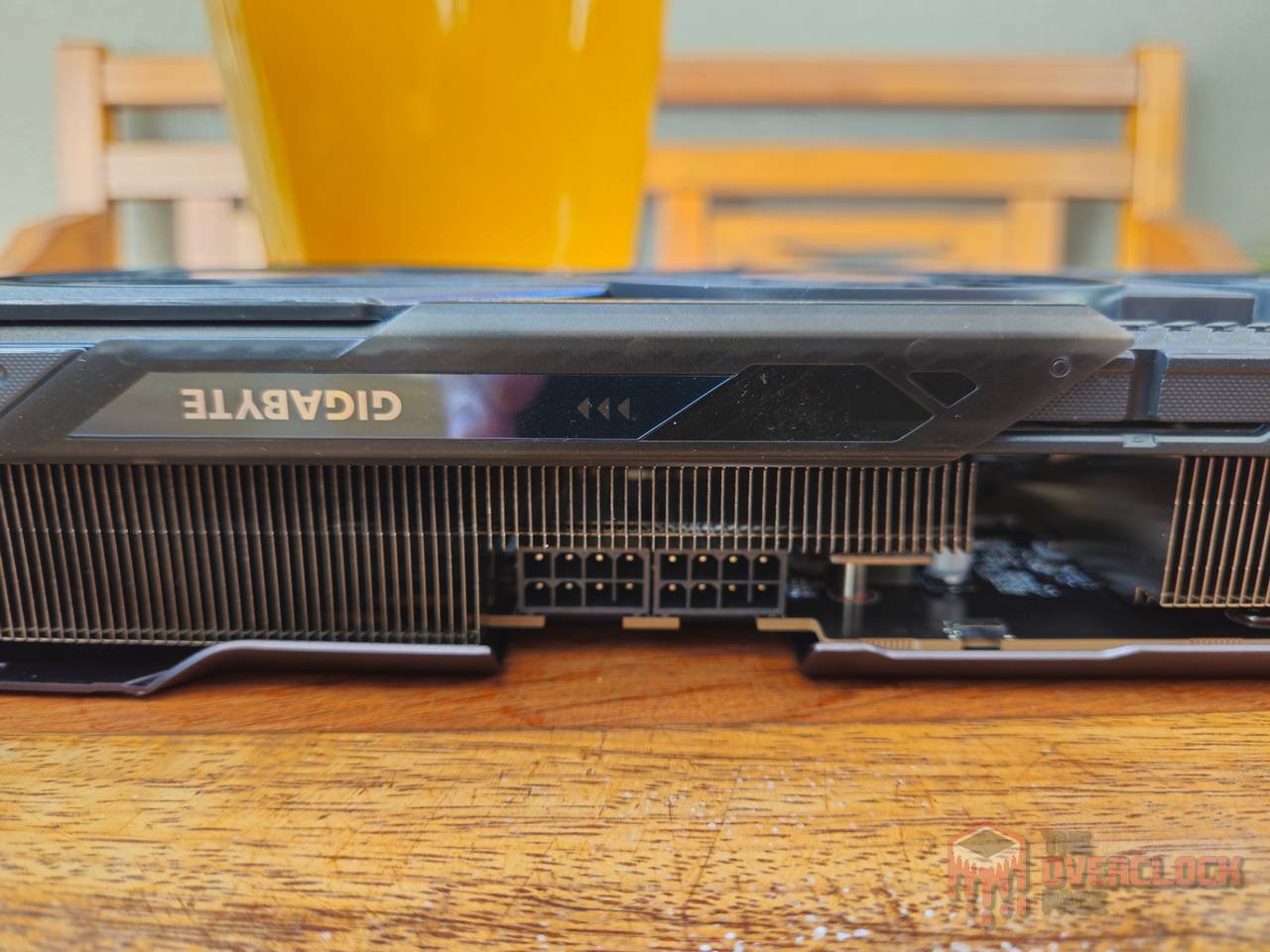
Despite the big TDP difference, at least on this GIGABYTE model, the cooler and PCB are exactly the same as on the 9070 XT, except the bigger one comes with three 8‑pin power connectors while the 9070 has only two, and the implication is that this board probably has plenty of headroom for overclocking or that stock operation will be pretty quiet, since the cooler, in theory, is running loosely.
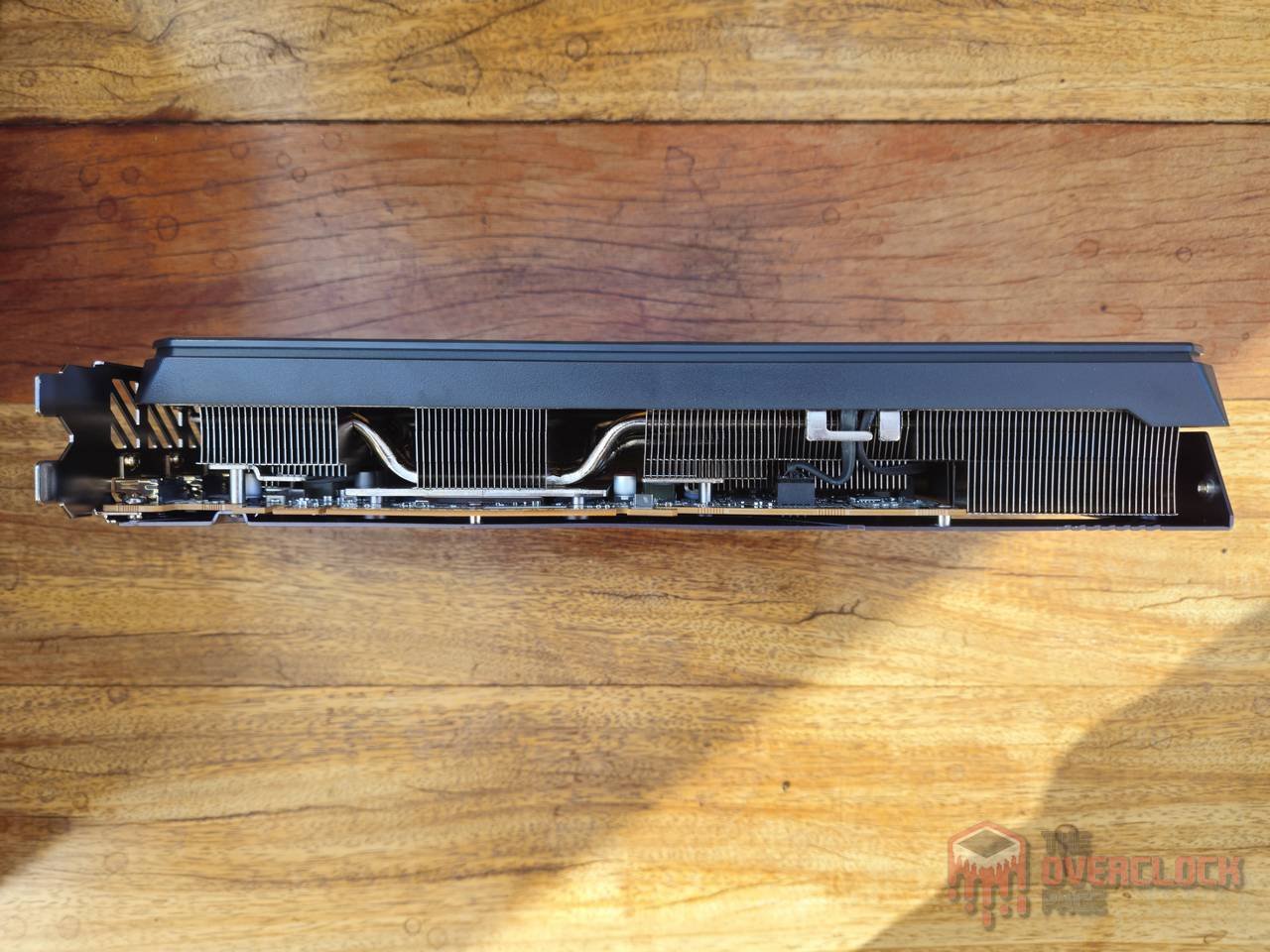
In an era of giant GPUs, this RX 9070 can even be considered compact, since despite being triple‑fan, its length is only 288 mm, height 50 mm (2.5 slots) and width 132 mm, meaning if this board were NVIDIA, it would be approved for use in compact cases, which serves as a guide for those who want to venture into the SFF world.
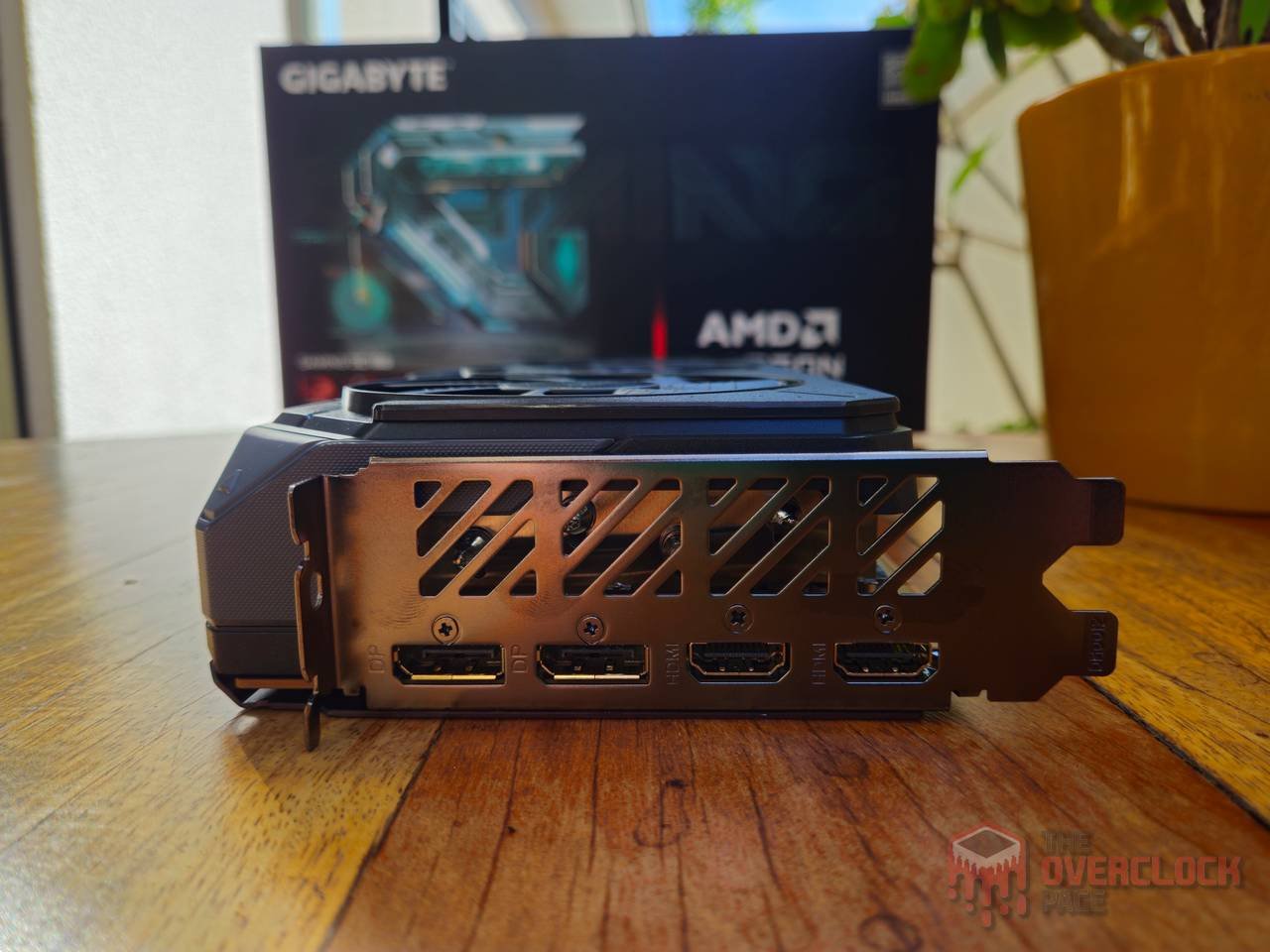
Many have probably already noticed that a board with a lower TDP and an oversized cooler has the potential to perform really well when overclocked, and that’s a fact, however AMD limited the Power Limit tweak to only +10% over the base, which brings the board to about 270 W, maybe a bit insufficient to reach the 9070’s full limits.
But the good news is that unlike what they did with the RX 6000, which were artificially frequency‑limited, this doesn’t happen on the RX 9000 and even better, there are several methods that let you change not only Power Limit (PPT) but also GPU and memory voltages, some requiring solder and external hardware while others need none of that! I’ll cover them below. 🙂
Before proceeding, it’s always good to remember that misusing or even simply using these tools can end up damaging hardware and voiding the warranty, that said, do it at your own risk! We’re not responsible for any damages or losses.
Biosmod
Biosmod used to be more common back in the day, with BIOS editors that let you tweak a bunch of parameters, even memory timings, as we’ve already tested here.
Turns out, over a few generations, both AMD and NVIDIA added security features that stop the GPU from working if you’re using a BIOS without a valid signature, which killed that option, but you can still swap the original BIOS for one from another model, and that’s exactly what happens with the RX 9070.
Using the RX 9070 XT BIOS on an RX 9070 doesn’t unlock new functional units because they’re laser‑cut off at the factory, but since the 9070 XT has a much higher Power Limit (PPT), that gives the whole board more headroom to draw power and deliver better performance.
There are two main ways to flash it: with an external programmer like the CH341A or with a modified version of amdvbflash, either way you should have a backup GPU (or an IGP) or the external programmer handy if things go wrong. It’s also a good idea to go for a dual‑BIOS model if you’re planning to go that route:
One important note is the board’s I/O: when doing a BIOS mod, always pick a board with the same I/O you have, for example, a 9070 with 2 × DVI and 2 × HDMI means you need to look for a 9070 XT BIOS with the same I/O configuration.
References:
https://www.overclock.net/threads/amdvbflash-modded.1817620/#replies
Shuntmod + EVC
If you have a minimally modern NVIDIA GPU and want to get rid of the Power Limit, just do a Shunt Mod, which consists of soldering another resistor (or wire on older models) in parallel with the existing ones to trick the board.
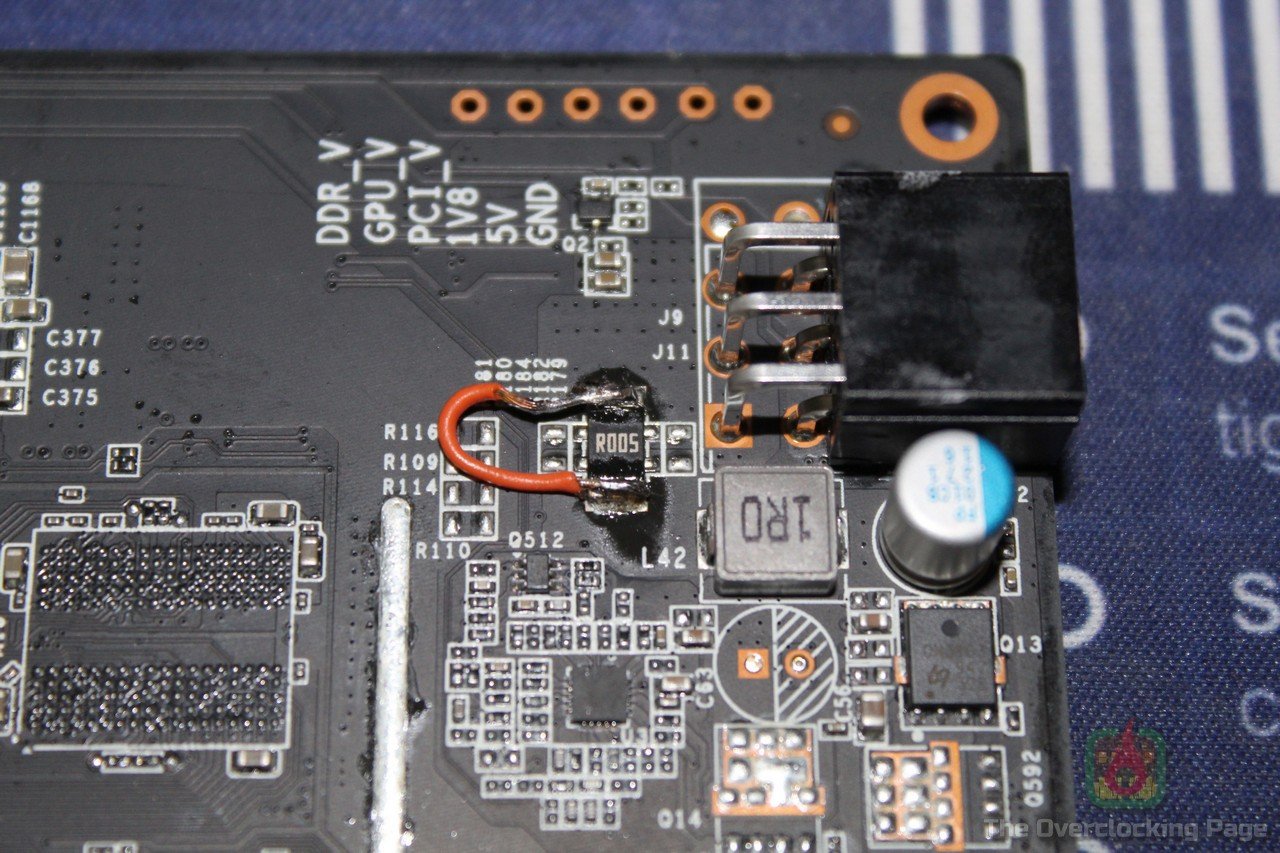
With the RX 9000s, AMD adopted something similar, it’s possible to do a solder mod to remove the Power Limit, and you can even go further and put an Elmorlabs EVC to tweak the GPU and memory voltages.
If you choose that route, you can find the mods in these Buildzoid videos (#1 and #2).
Linux scripts
If the two previous options go the slightly more traditional way, this one is pretty innovative and, by the way, the one that was used in this article! A dude with the nickname fpsflow wrote Linux scripts that let you reconfigure the PWM controller settings, which is basically what the EVC does, but here you only need a Linux LiveCD distro to make it work!
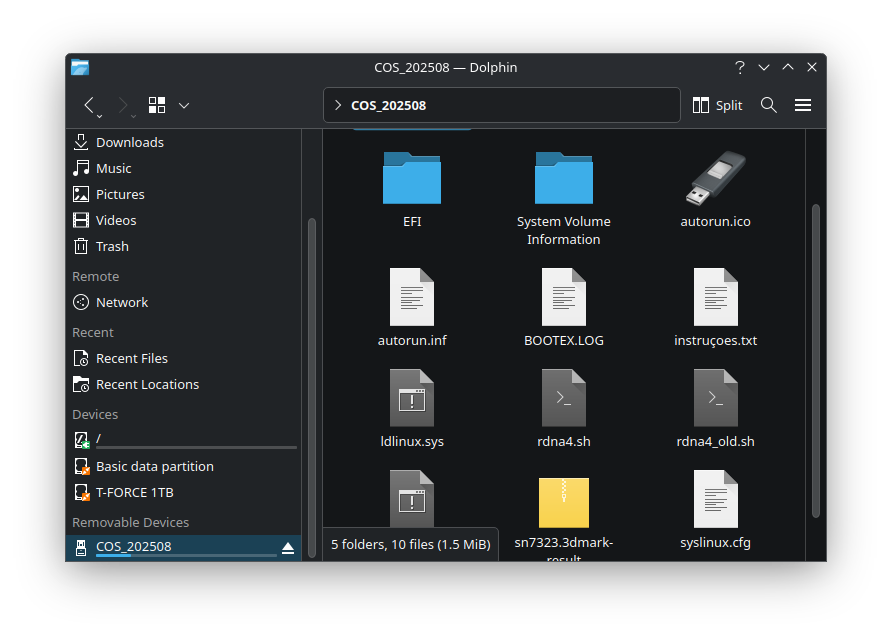
The cool thing about these scripts is they let you make spotty changes that last as long as the machine is on, so you can hop into Linux, run the script, then reboot to Windows keeping the new settings or even flash them permanently. Even though a lot of people have a fear, bias, or past trauma with Linux, running the script is super easy! First thing is to create a bootable USB with some LiveCD distro, I used CachyOS here but you can pick any other you like. Also copy the script files (rdna4.sh and rdna4_old.sh) to the root of the USB.
When booting, make sure it can hit the internet because the script pulls down some dependencies if they’re not already installed. Open a terminal and run uname -r to check the kernel version; if it’s older than 6.17RC3, use the rdna4_old.sh script, otherwise use rdna4.sh.
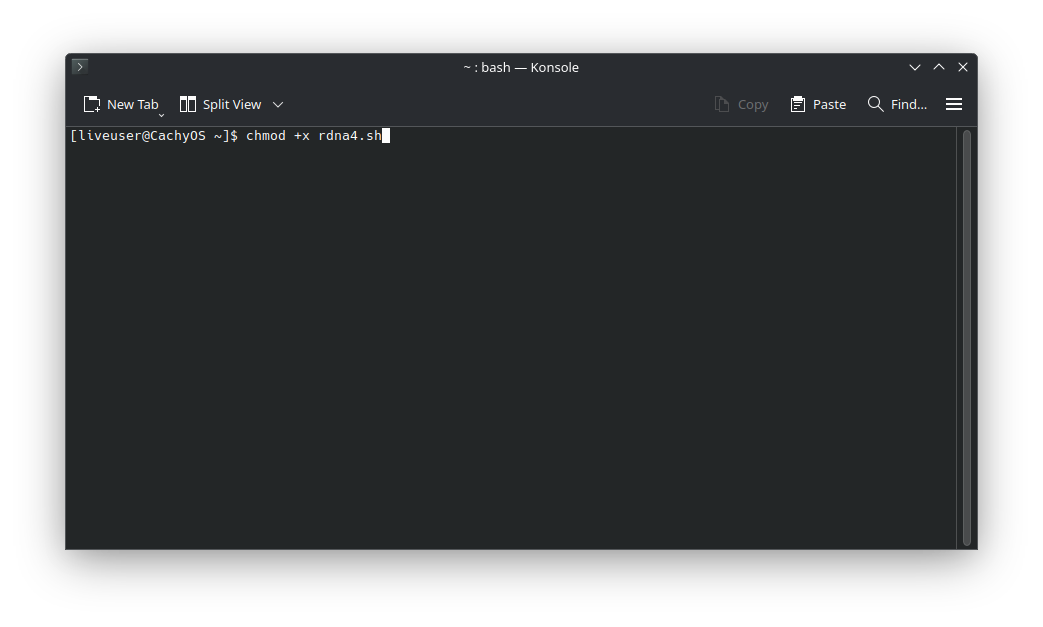
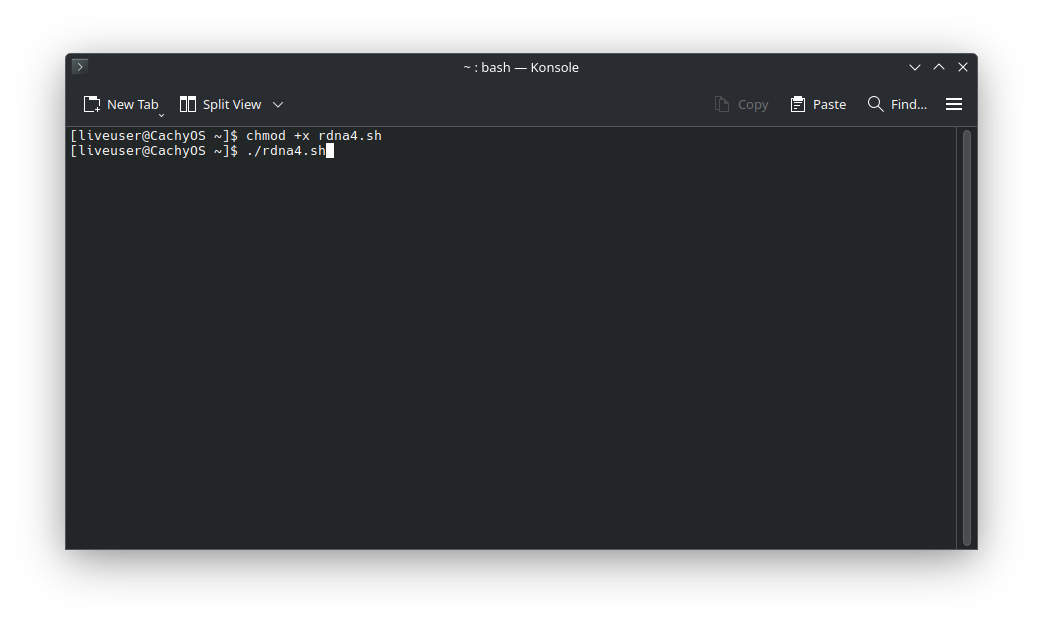
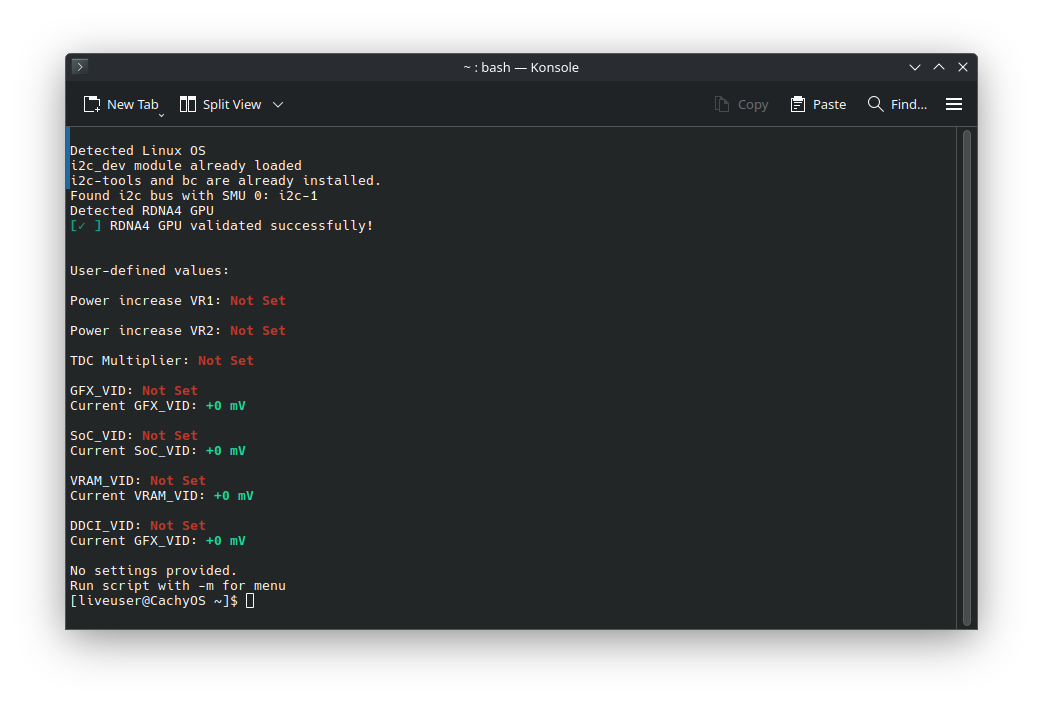
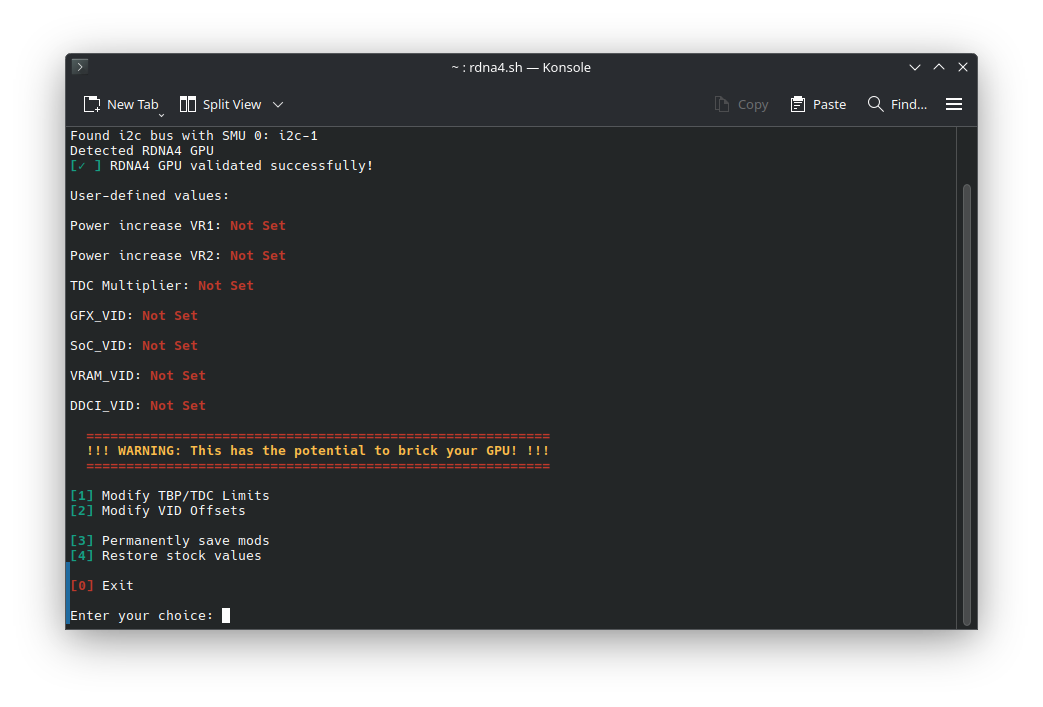
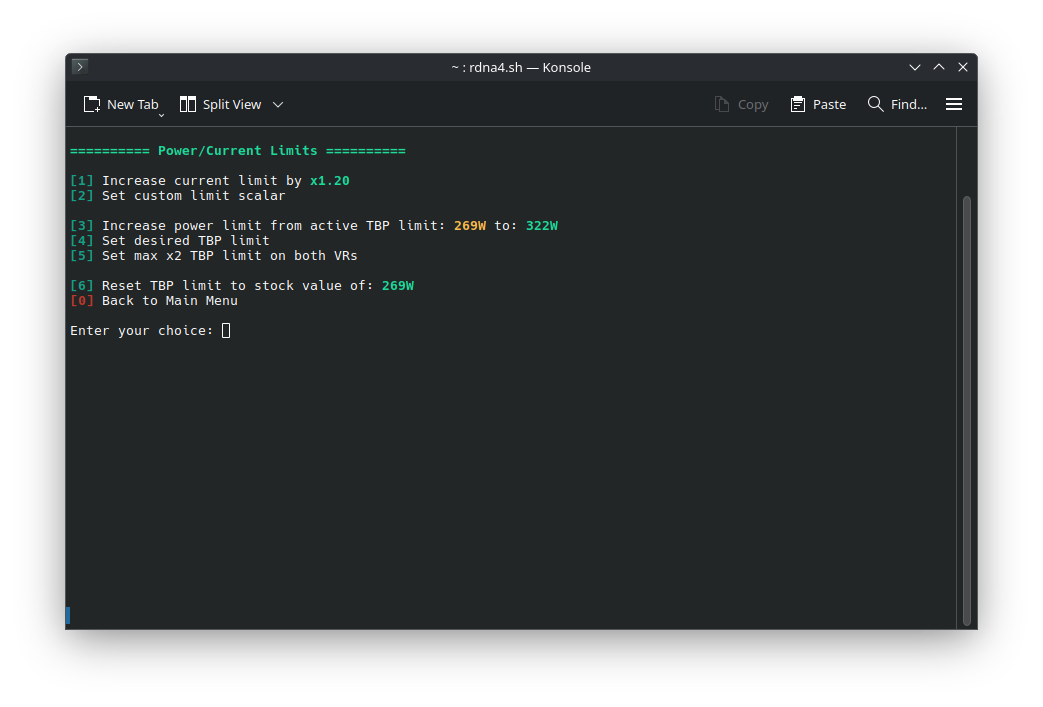
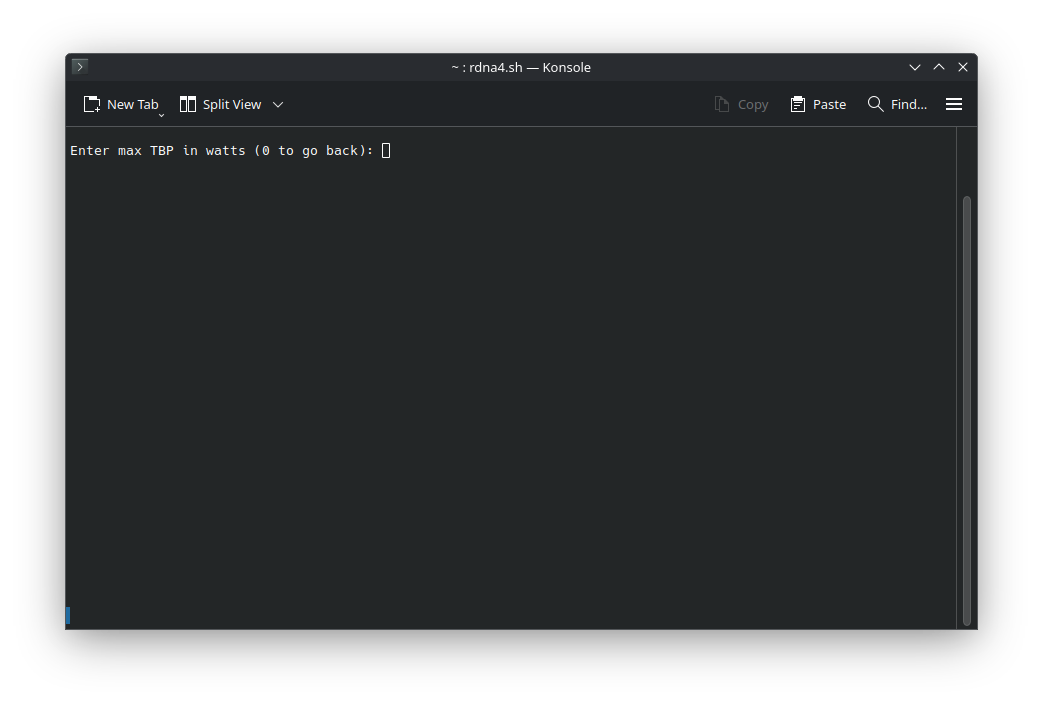
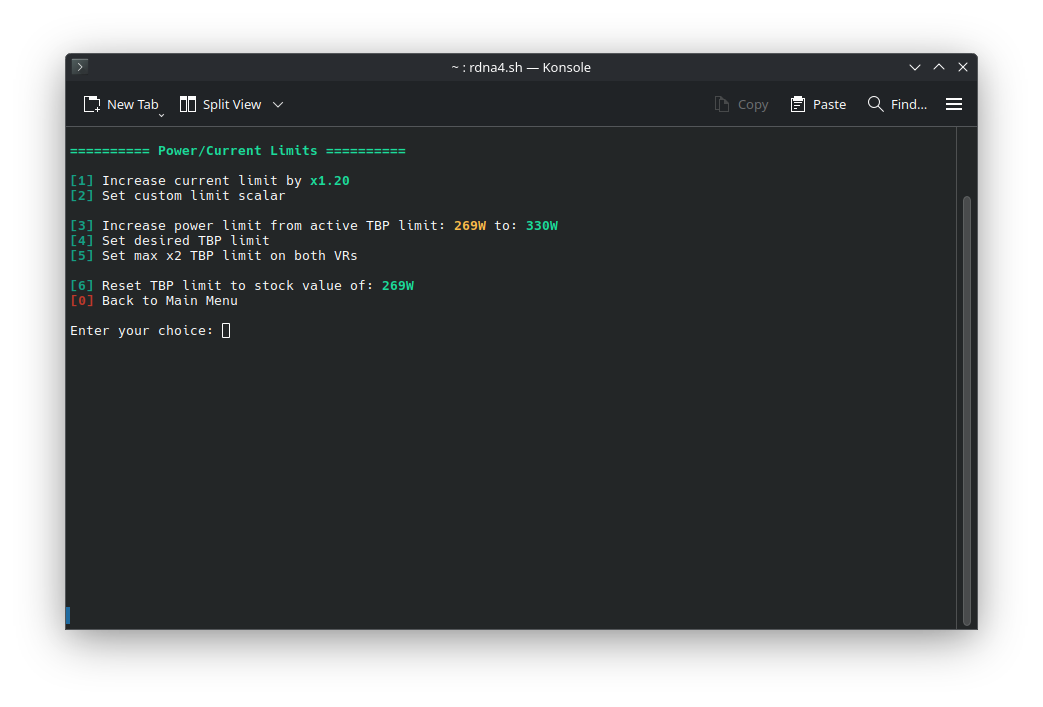
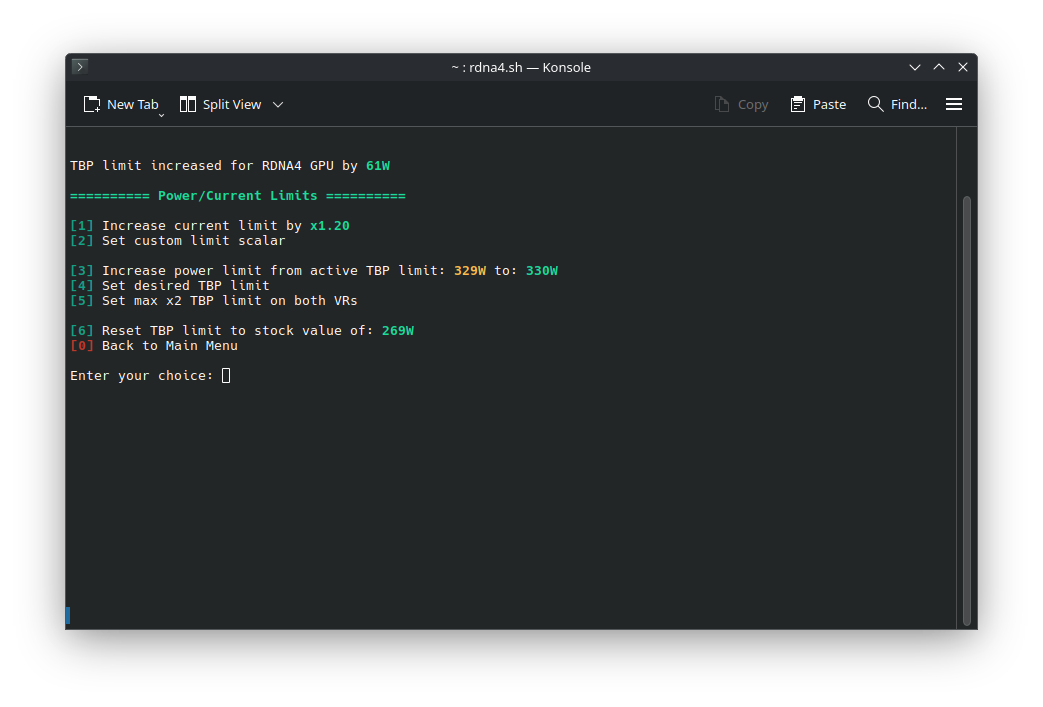
After that, copy the right script to the /home folder, that’s key because you need to run it from a Linux filesystem. Then open a terminal in /home and run chmod +x rdna4.sh (or rdna4_old.sh), which gives it exec permissions, then just do ./rdna4.sh to run it and see the active configs, or ./rdna4.sh -m to open the menu that lets you tweak parameters (PPT, TDC, voltage offsets).
Just so you know, there are two ways to apply the tweaks: one is temporary and lasts until the machine powers off, and the other is permanent, where the PWM controller settings get re-flashed, which means you need to be extra careful.
References:
Hardware used
CPU: AMD Ryzen 7 9700X (Thanks AMD!)
MOBO: ASUS ROG Crosshair X670E Gene
RAM: 2x16GB Teamgroup T-Create Expert DDR5-7200CL34 1.4V – CTCWD532G7200HC34ADC01 – (Thanks Teamgroup!)
GPU: GIGABYTE RX 9070 GAMING OC
PSU: Coolermaster MWE 1250 Gold V2 (Thanks Cooler Master)
COOLER: Custom Watercooling
SSD: Crucial BX300 120GB (SO), Teamgroup Vulcan Z 1TB (Jogos)
Software: Windows 11 x64 24H2, 3dmark Steel Nomad, Black Myth: Wukong, Cyberpunk 2077, Horizon: Zero Dawn and SOTTR.
Test objectives and methodology
We checked the Radeon RX 9070’s performance across a bunch of benchmarks, running it in different setups, namely stock (240W), maximum OC with the default BIOS (240W+10%, –80mV undervolt and VRAM at 2800MHz), OC with PPT bumped up to 330W (–80mV and VRAM at 2800MHz) and finally 330W+10% (–80mV and VRAM at 2800MHz), aiming to see the gains and how this GPU scales in those conditions.
Results
Power Draw:
The first thing is to verify whether the script adjustments are actually being applied and what impact they have on the card’s power draw, and for that the Elmorlabs PMD with the PCI-E slot accessory was used, after all measuring only what is being demanded from the 8-pin PCI-E connectors would result in an unrealistic scenario, ignoring up to 75W of the total consumption.
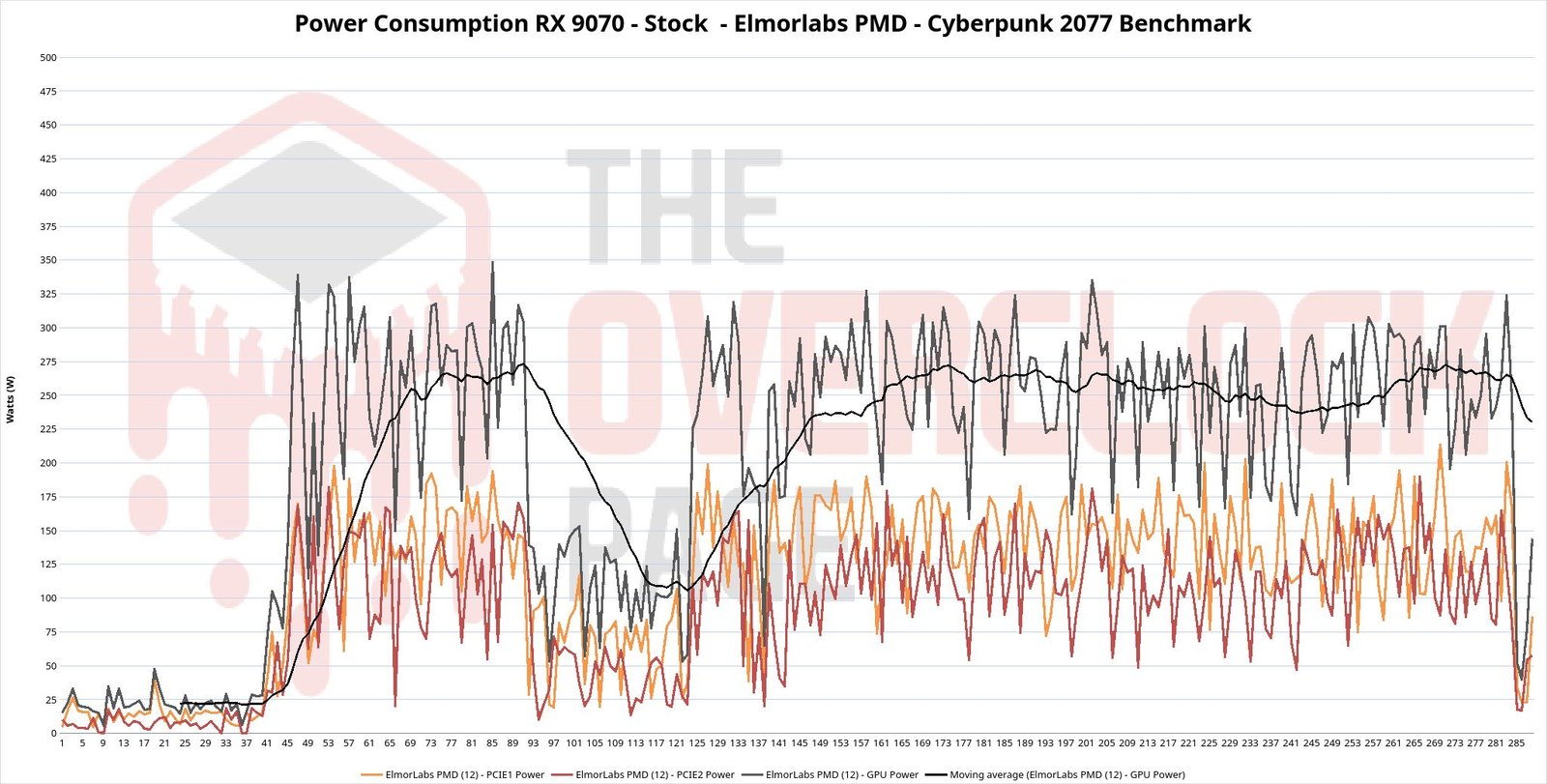
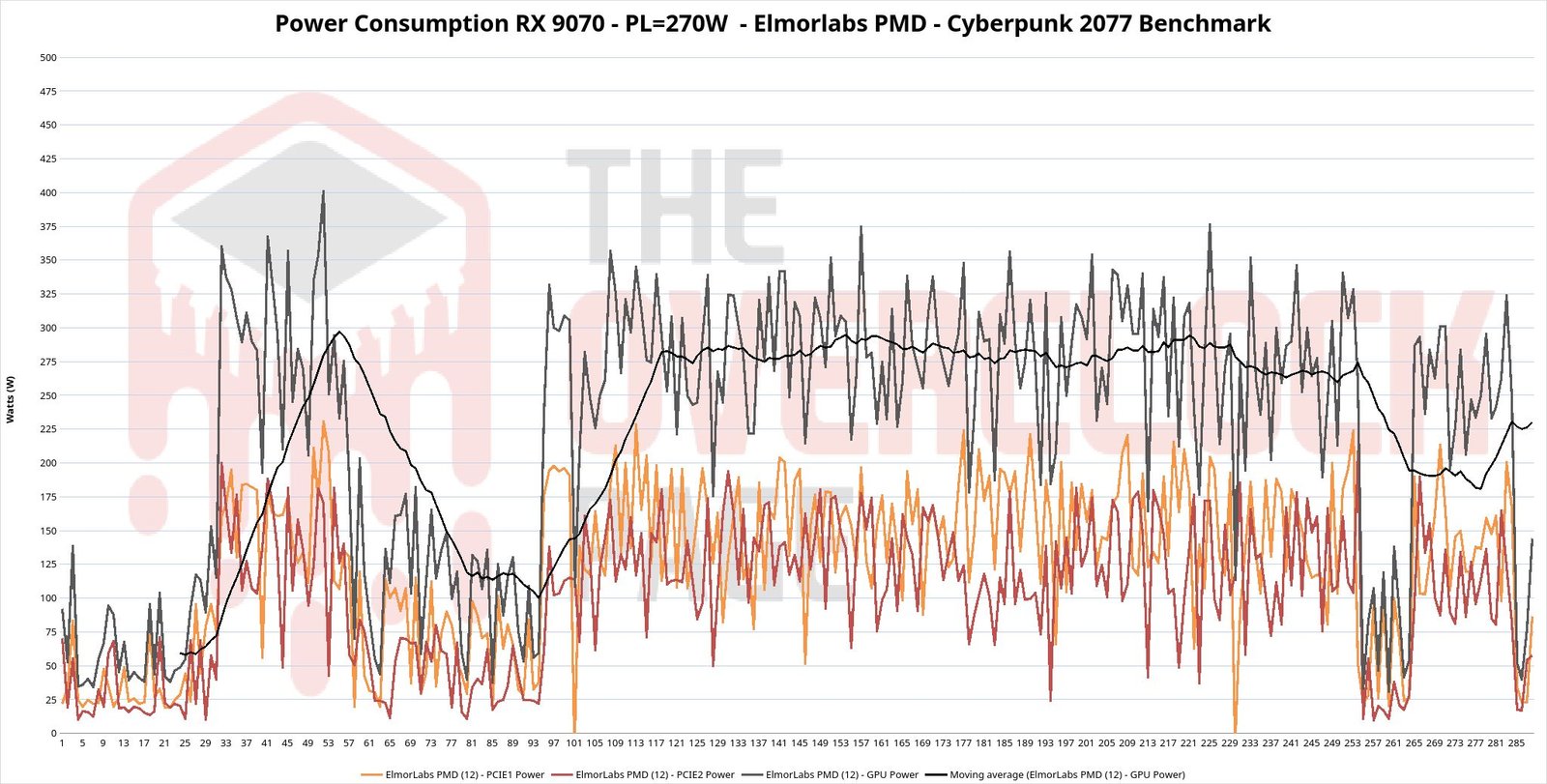
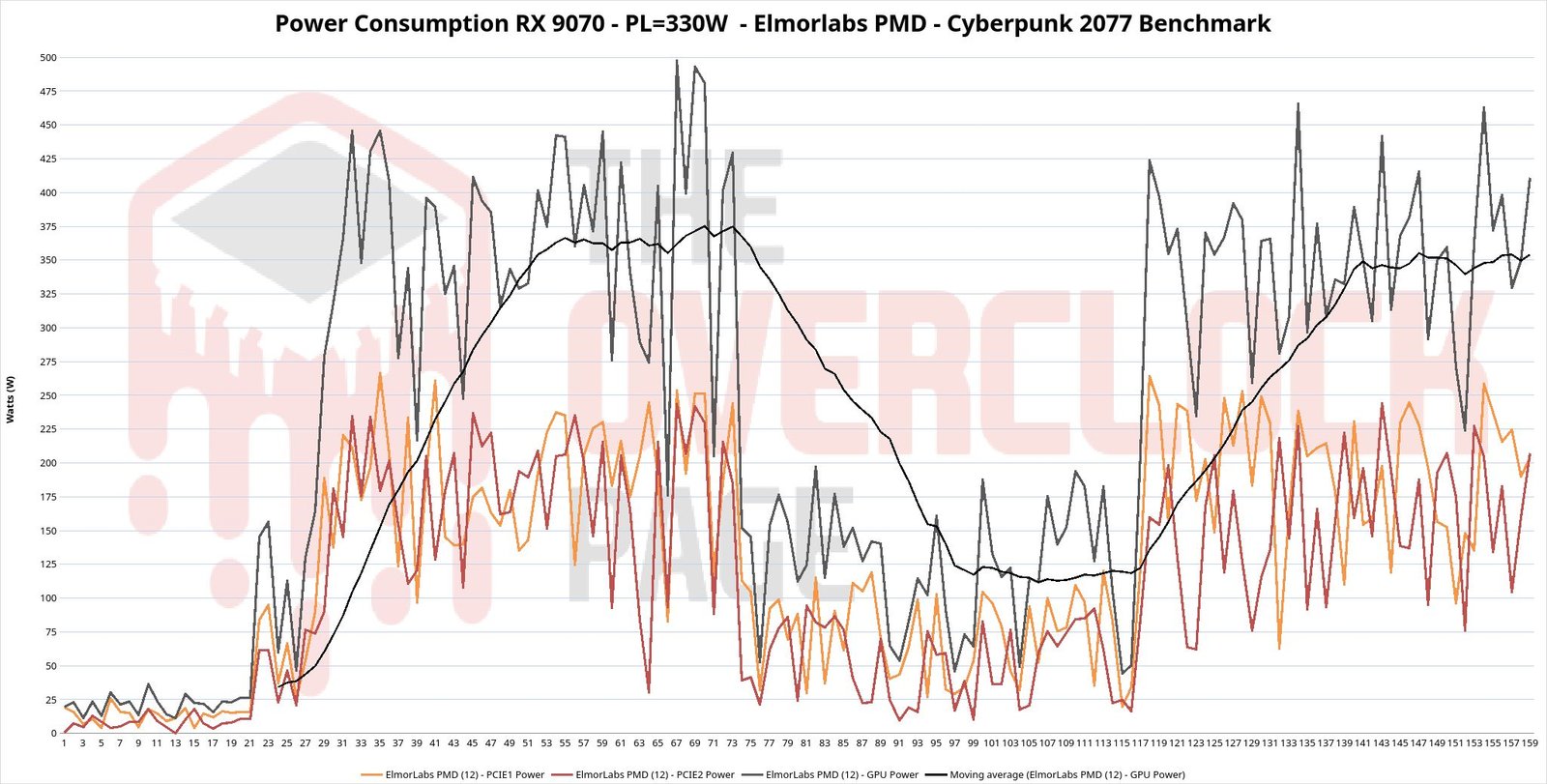
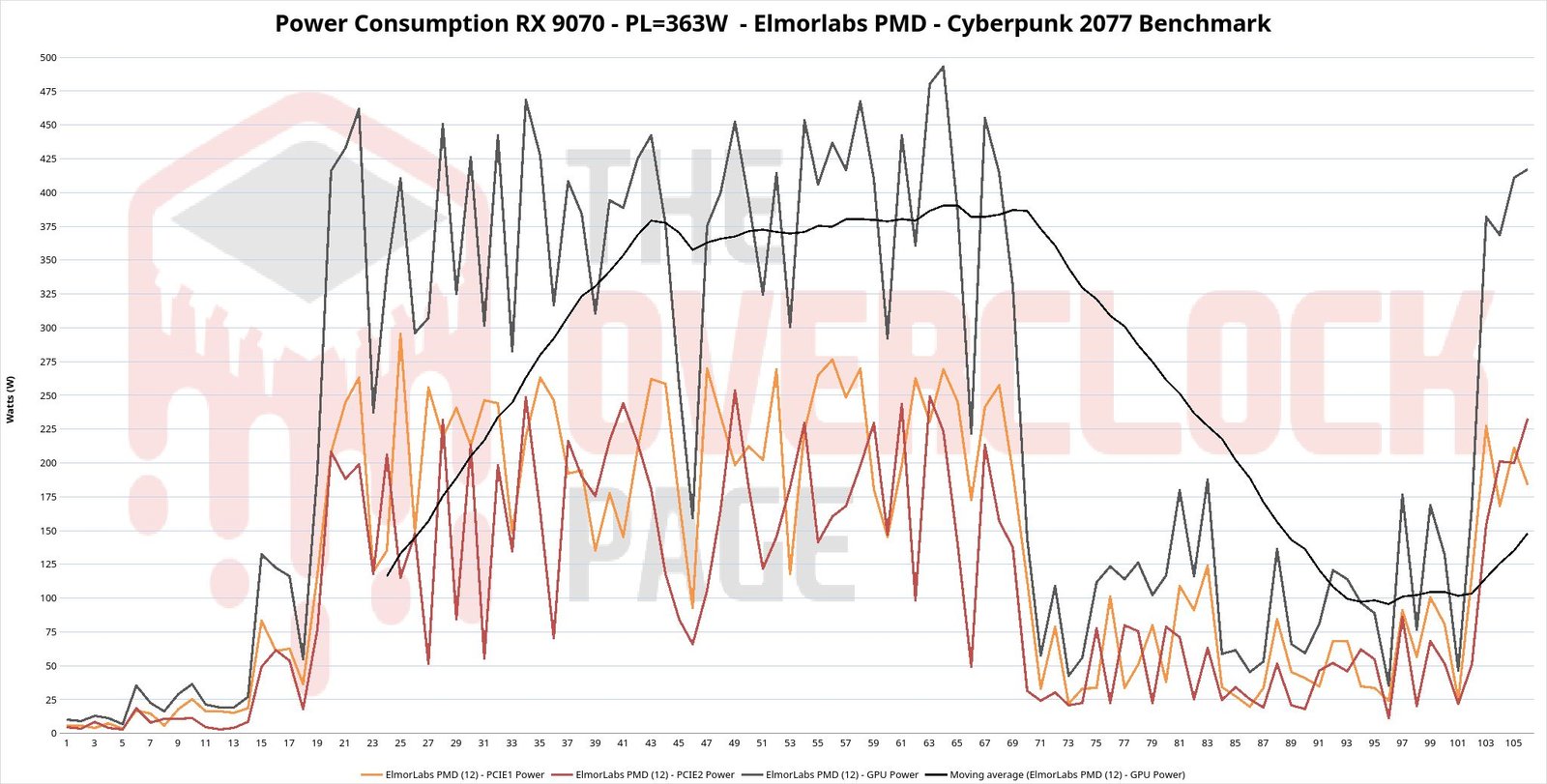
The RX 9070 Gaming OC has a standard TDP of 240W, which is a bit more than AMD’s 220W reference, resulting in an average draw that settled between 240 and 270W, with spikes above 325W, something to keep an eye because in addition to the labeled value, the PSU must still be able to handle those peaks. Another detail is that the PCI-E slot draws 0W, meaning this card uses the slot only for signals, with power supplied exclusively through the 8-pin connectors.
When the Power Limit was increased by +10%, bringing it to roughly 270W, the RX 9070 hovered between 275 and 300W, with occasional spikes at 375W and a ‘record’ at 400W!
After using the script to bump the TDP to 330W, consumption was observed between 350 and 375W, potentially exceeding those 375W when the limit was raised by another 10%. The spikes hovered around 500W. The point is that the script really works and releases the TDP as configured, of course making the proper note that the draw is a bit higher than what’s configured, but it essentially keeps the same margin relative to the extra it already consumes in stock.
With the TDP increased, naturally the GPU’s heat dissipation also rose, yet the RX 9070 XT Gaming OC uses the same cooler and PCB, just with an extra 8?pin connector, and since it already has a standard TDP of 330W, there was no difficulty for the cooling system to handle the extra load.
Benchmarks:
Regarding the benchmarks, the 3DMark Steel Nomad, Black Myth: Wukong, Cyberpunk 2077, Horizon: Zero Dawn, and Shadow of the Tomb Raider (SOTTR) were selected and the built-in benchmarking tools were used, since the goal here is to see how the RX 9070 scales with the added adjustments and power limits.
All games were tested in 4K with the maximum quality presets for SOTTR and Horizon Zero Dawn, Cyberpunk 2077 was run with maximum settings but with medium ray tracing, FSR disabled, and finally Wukong was played in Cinematic mode with medium ray tracing and FSR at Sharpness 30.
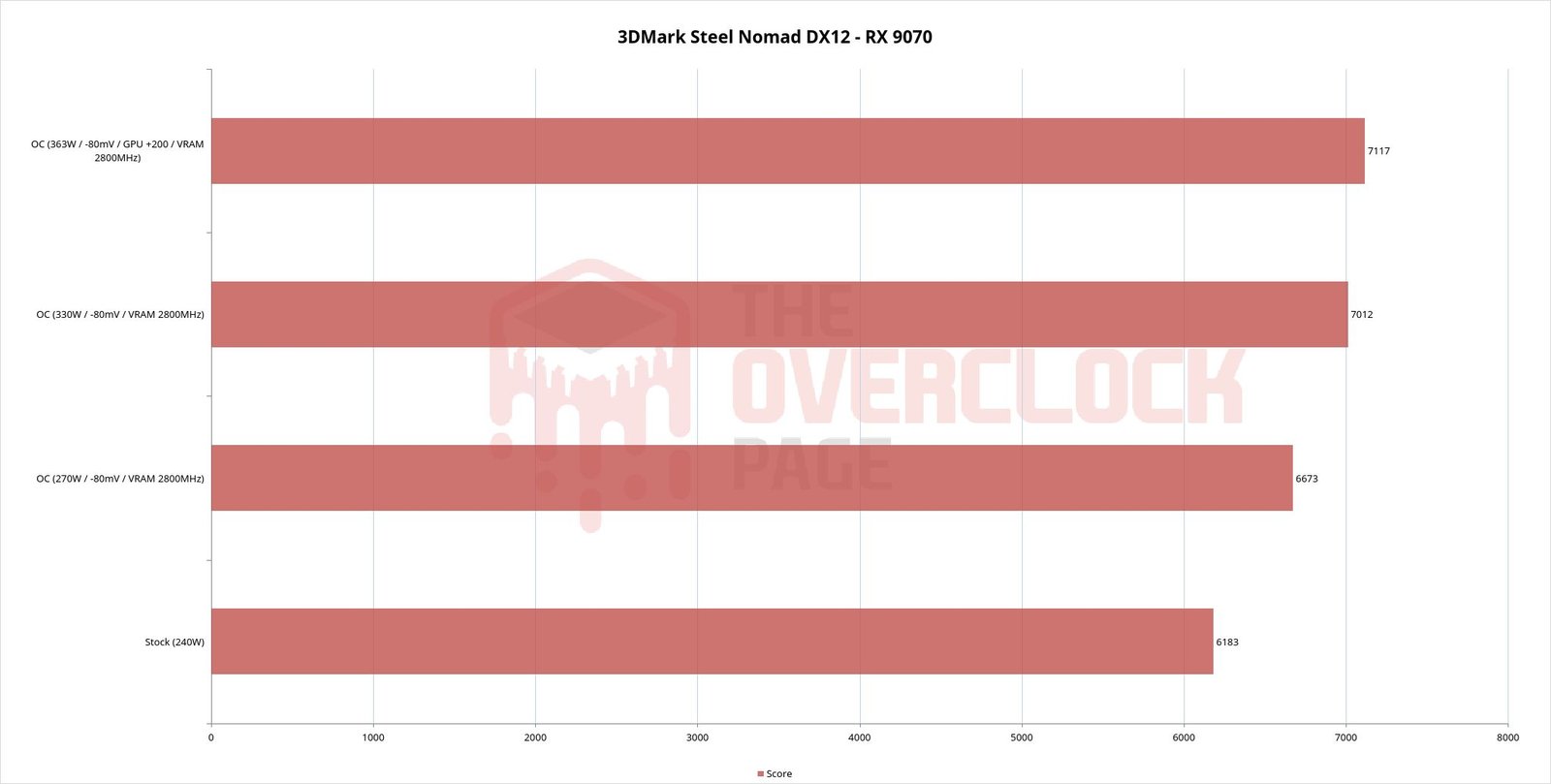
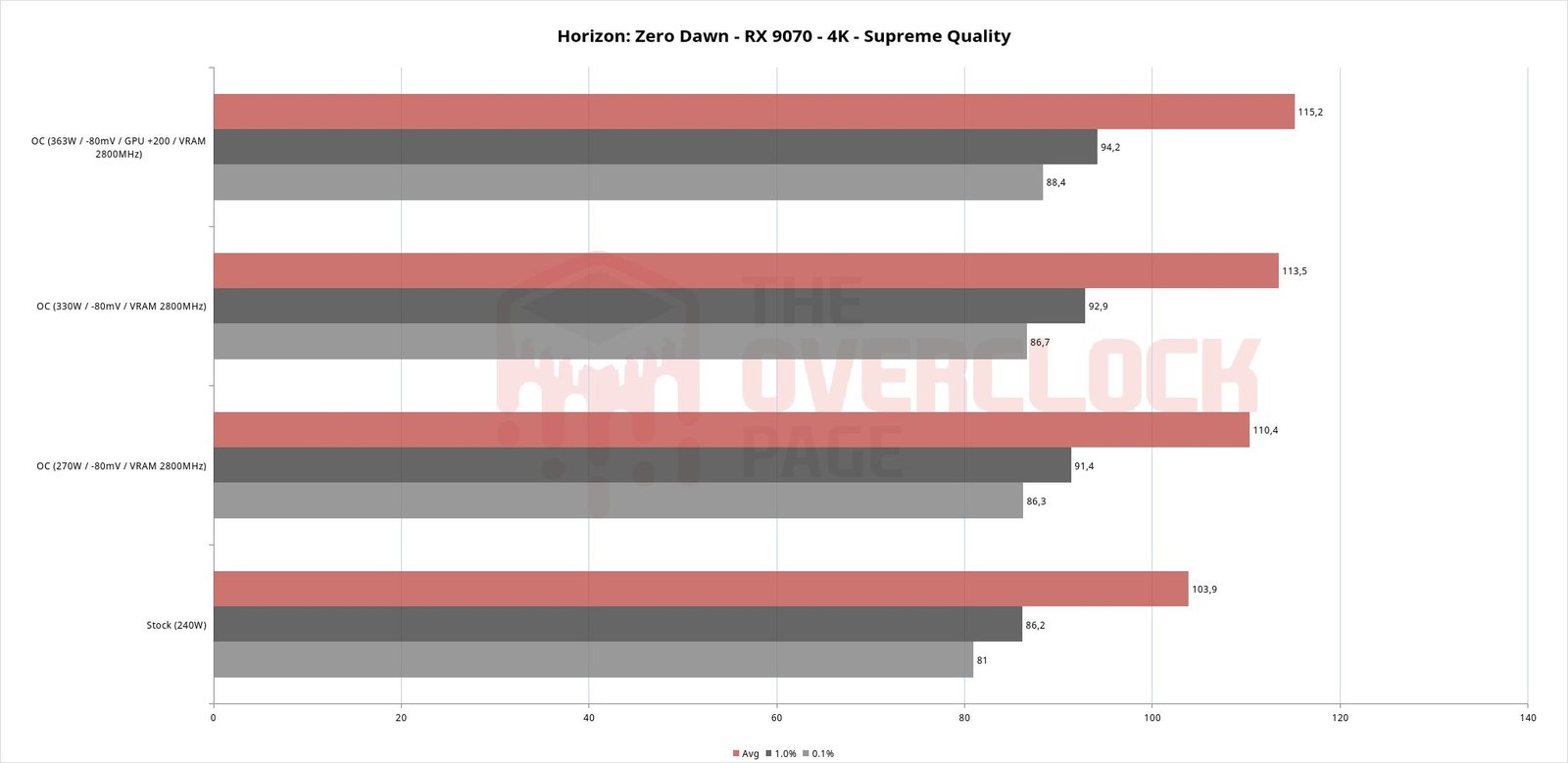
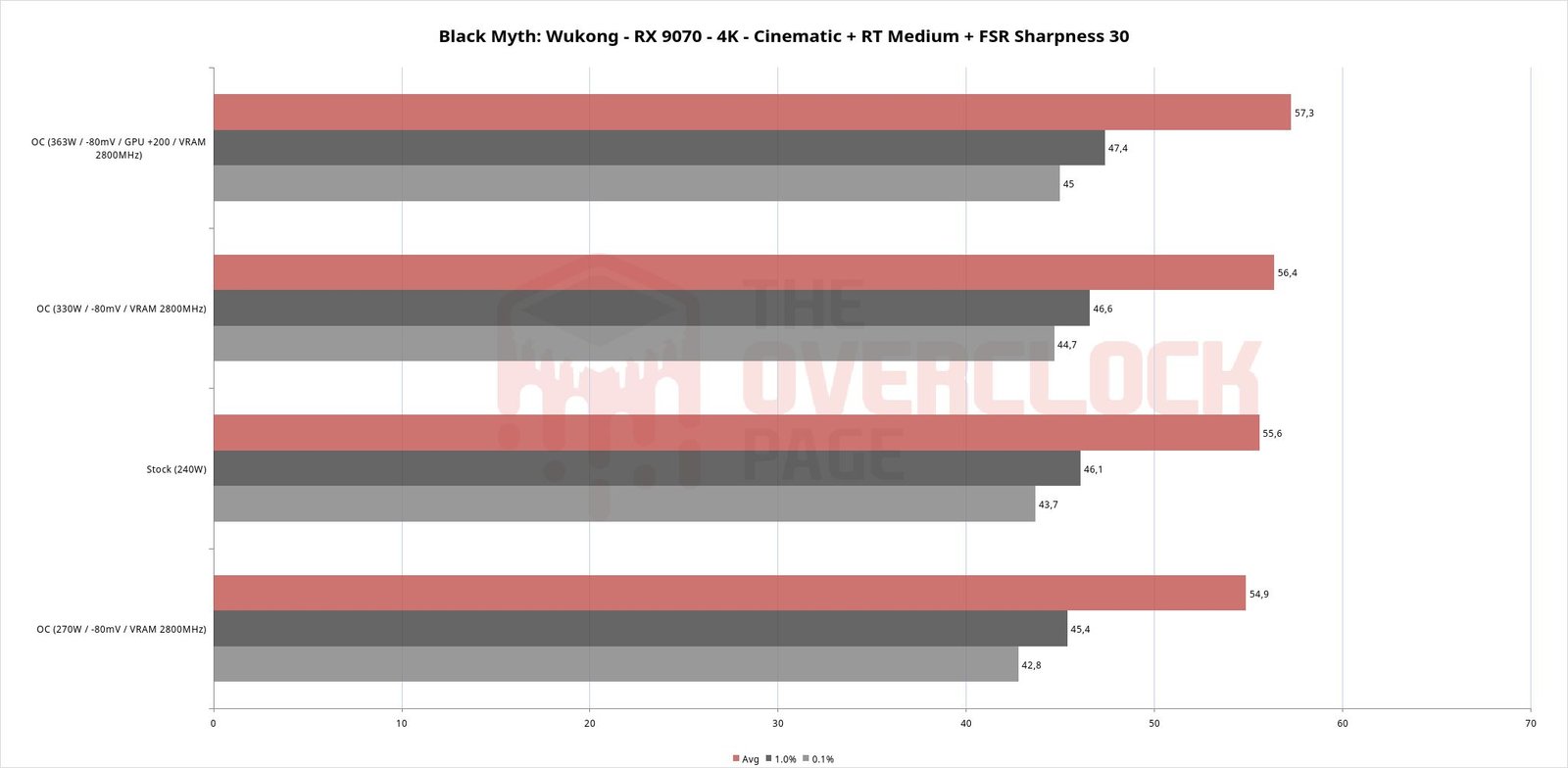
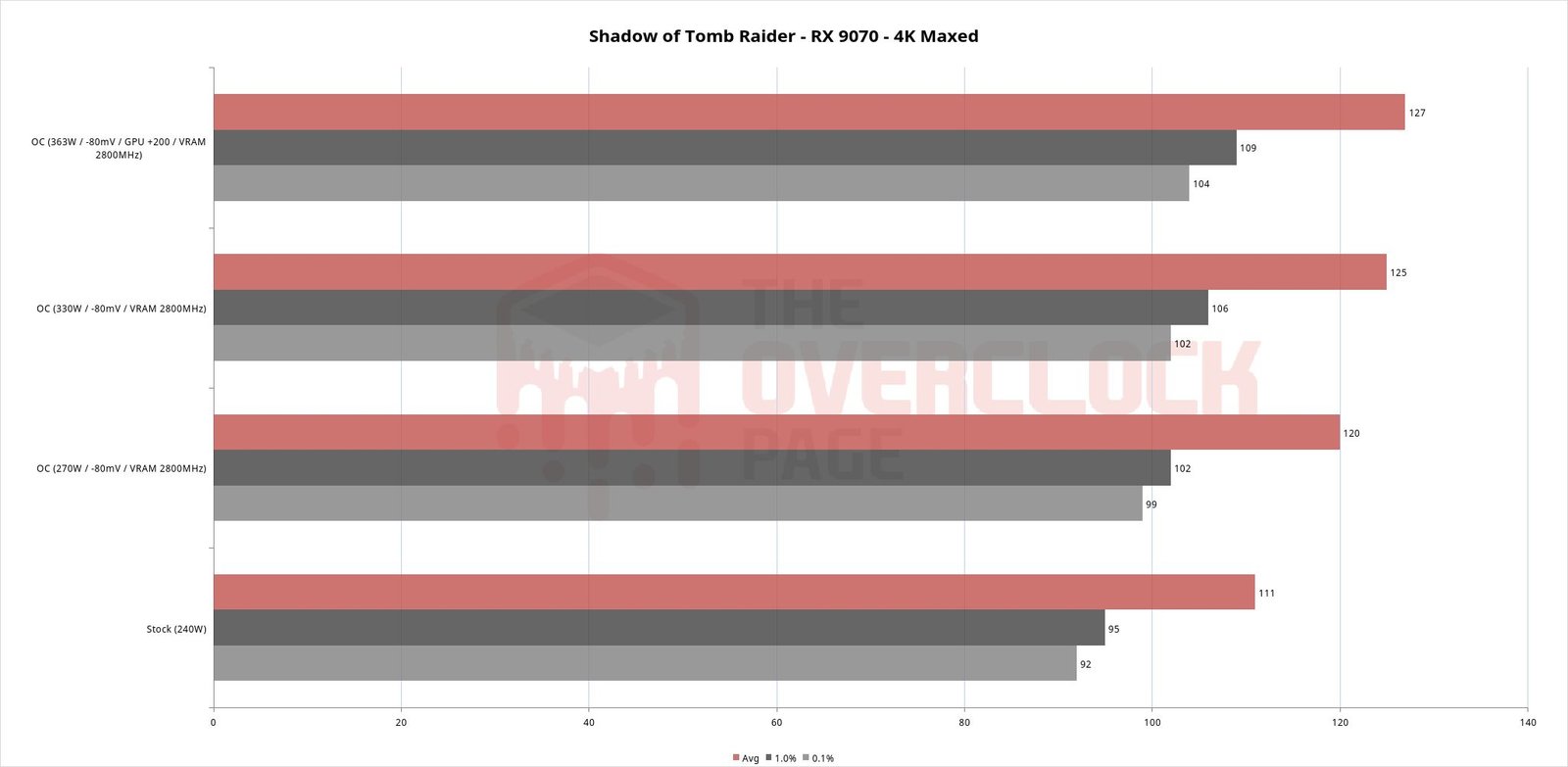
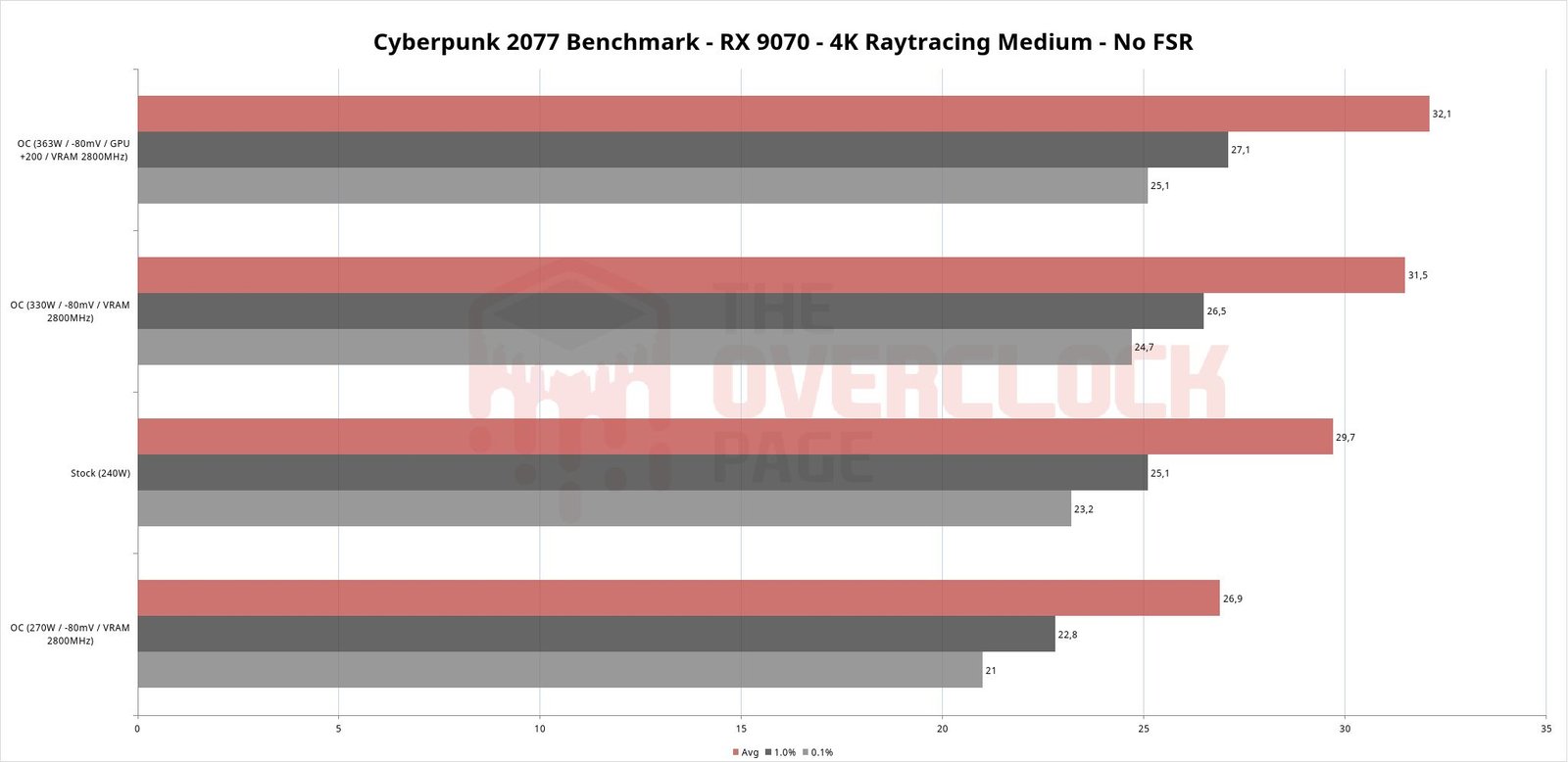
The gains came, and on average were 12.81%, with the lowest one coming from Black Myth: Wukong, which gained only 4.37% at 363W and oddly, losing a little performance when going to 270W, which despite being consistent, is something a bit difficult to explain.
Cyberpunk 2077, on the other hand, scaled beautifully when increasing the maximum power limit, reaching a performance gain of 19.33% with 363W! The explanation is that in stock, the GPU frequency sits a bit below 2500 MHz, climbing to something in the 3000 MHz range with the additional TDP and undervolt.
Using the TechpowerUp results as a reference, where in 4K the RX 9070 XT shows a roughly 9% advantage over the RX 9070, one can say that it was possible to catch up to the larger model only on the basis of fine tuning and overclocking, which is pretty cool and reminds us of past times, when the buying the cheaper models, overclocking to reach the level of the more expensive ones, and saving some money was possible.
Conclusion
After a good generation (RX 6000) that was artificially limited for overclocking and another that fell below its own internal expectations (RX 7000), AMD hit the mark with the RX 9000, with hardware evolving in almost every aspect compared to the previous generation and, fortunately this time, no artificial frequency limits were placed on the GPUs, which, combined with the creativity or even brilliance of some advanced users, turned these cards into a great opportunity for overclockers, freeing TDP and voltage adjustments in a very simple way!
By unlocking up to 363W of TDP and doing undervolt with overclock on the memories, it was possible to achieve an average performance gain of almost 13% compared to the standard of this RX 9070, effectively putting it on the same level or even above a standard RX 9070XT, at a lower purchase cost, which is pretty cool and somewhat nostalgic, recalling the old days when buying the cheapest model and overclocking until reaching the performance of the larger one was the rule.